How to use Midjourney AI in UI design - AHN Media Group

Design

March 13, 2025

SHARE:

As AI increasingly makes its way into the UI designer’s toolkit, Midjourney is fast becoming one of the most popular image generators. 

With a simple text prompt, you can use Midjourney AI to create custom digital artworks, whip up an app screen, design individual UI elements, and generate colour palettes—all in a matter of seconds.

For UI designers, this can really accelerate the ideation process and help you expand your own creativity. 

So how does Midjourney AI work? And how can you leverage it in the UI design process? Let’s take a look. 

What is Midjourney AI and how does it work?

Midjourney is a generative AI tool created by Midjourney, Inc.—an independent research lab based in San Francisco.

Midjourney AI generates images and digital artworks based on text prompts. If you enter a prompt asking for an image of a mermaid swimming underwater surrounded by marine life, Midjourney will generate four versions for you to choose from. The more specific your prompts, the better—but we’ll get to the art of prompt-writing for Midjourney in a later section. 

Midjourney works within the Discord platform. Discord is an instant messaging app, commonly used to create communities where users can chat via text, voice, and video. Discord essentially facilitates communication between the user and the Midjourney bot.

Midjourney uses two key machine learning technologies:

  • Large Language Models (LLM): this is how Midjourney understands and interprets the text prompts provided by the user.
  • Diffusion Models (DM): in very simple terms, this technology converts random visual noise into a meaningful image. You enter a text prompt, which sparks a field of visual noise. The AI then progressively removes that noise in incremental steps, eventually resulting in an image that resembles what you’ve asked for. 

Now we know what Midjourney is and how it works, let’s drill down to some key functions and features. 

What can Midjourney AI do? Key features

Midjourney’s core function is to convert text prompts into images. This allows you to generate unique digital artworks and graphics in a range of styles. 

You can guide the image generation process by applying custom parameters to your prompts. You might specify a certain aspect ratio, for example, or a particular style such as ‘watercolour’ or ‘flat design’. 

You can also customise the quality of your images by specifying, within your prompt, a value for the rendering quality. You might specify ‘q 1’ (that’s the default quality level) or request that images be rendered to a higher quality by specifying ‘q 2’ in your prompt. 

Once you’ve entered your prompt, Midjourney will give you four different image versions. You can choose to upscale a particular version, which will increase the size/dimensions of the image and also improve the quality. 

Beyond image generation, Midjourney serves as a great source of community and inspiration. You can share your creations and browse images created by others, allowing you to see what’s possible with Midjourney and sparking ideas for your own work. 

How to get set up on Midjourney AI

To use Midjourney AI, you’ll need to create both a Discord account and a Midjourney account. 

If you’re not already a member, first head over to the Discord platform and follow the instructions to create your account. Once you’re signed up, join the official Midjourney Discord server by clicking the ‘Accept invite’ button. 

You’ll then find yourself in the “Getting started” channel, where you can create your Midjourney account (if you haven’t already done so) by clicking “Get your Midjourney membership” (visible in the chat):
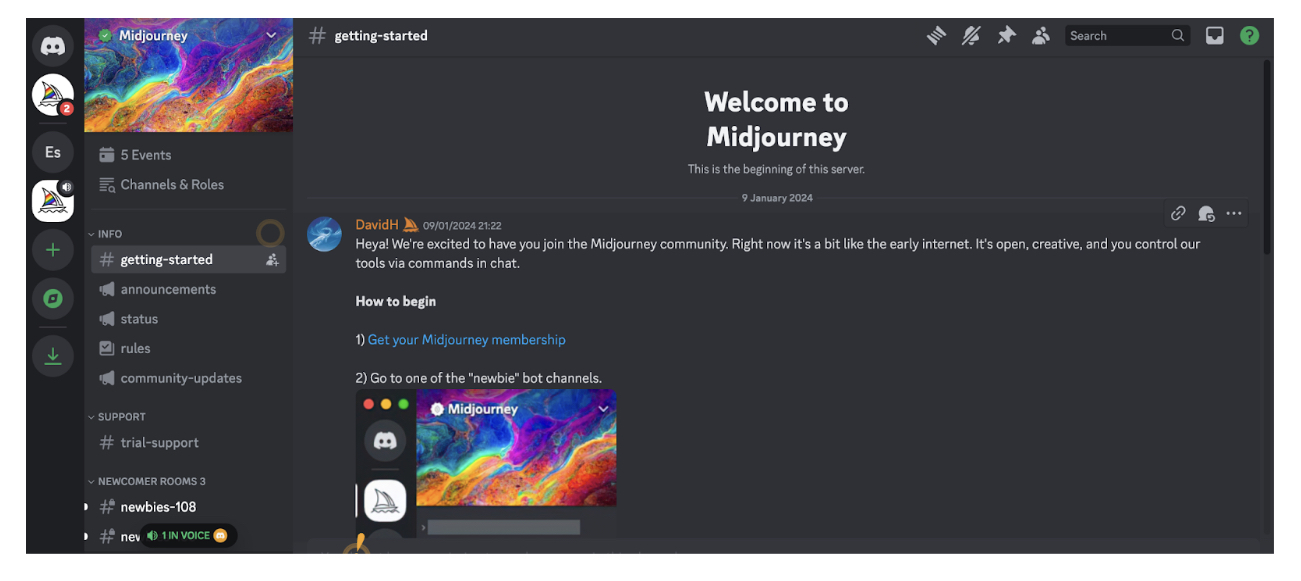
This will take you to a separate page, the Midjourney showcase, where you can click “Sign up” in the bottom left corner to create your Midjourney account. 

Once you’re signed up and logged in to Midjourney, you can navigate back to the Midjourney Discord server and enter one of the so-called “newbie” bot channels. You’ll find available newbie channels on the left-hand side.
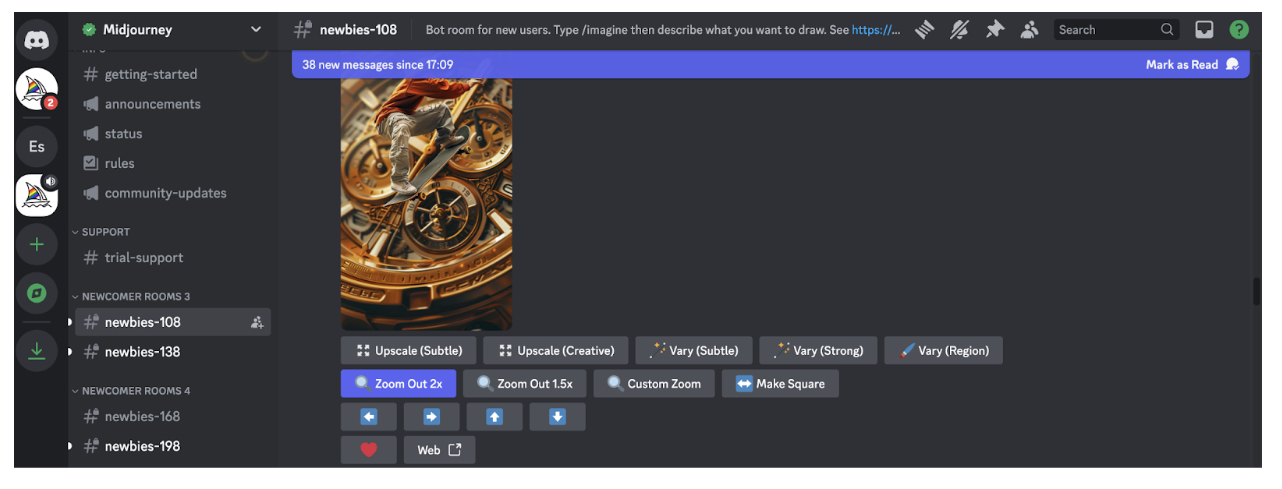
You can then enter your own prompts into the chat box to start generating images. 

At the time of writing, Midjourney is no longer offering a free trial for new users. If you want to start prompting, you’ll need to sign up for a paid subscription. 

How much does Midjourney AI cost?

Midjourney offers four price tiers:

  • Basic Plan for $10 per month or $96 per year with an annual subscription (that’s around €9 per month / €89 per year)
  • Standard Plan for $30 per month or $288 per year with an annual subscription (that’s around €28 per month / €267 per year)
  • Pro Plan for $60 per month or $576 per year with an annual subscription (that’s around €55 per month / €533 per year)
  • Mega Plan for $120 per month or $1,152 per year with an annual subscription (that’s around €111 per month / €1,066 per year). 

For more information about each price tier and what’s included, visit the official Midjourney pricing page.

How to use Midjourney AI in UI design (with example prompts)

Midjourney can generate custom visuals in a matter of seconds—making it an incredibly interesting tool for UI designers. You can use Midjourney to quickly create screens and individual UI components, come up with themes, styles, and colour palettes, and generate unique digital artwork. 

Note, however, that the graphics you create with Midjourney won’t necessarily be directly usable—and working with Midjourney doesn’t eliminate the need to create your own screens and elements using the usual UI tools like Sketch and Figma. If you generate an app screen with Midjourney, for example, you’ll still need to actually create that screen from scratch yourself. 

Where Midjourney really comes in useful is helping you to explore different ideas and concepts and gather inspiration. You might use your AI-generated artwork to inspire mood boards, kick-start an ideation session, or serve as a guide for certain layouts or colour schemes. 

With that, let’s consider some examples of how to use Midjourney for UI design. 

Use Midjourney AI to generate app screens 

If you’re designing for mobile, Midjourney can help you ideate layouts and designs for various app screens. If you’re designing a dating app, for example, you might try the following Midjourney prompts:

  • /imagine a vibrant and fun login screen for a dating app, with an eye-catching background, username and password fields, and buttons for login and social media sign-ins
  • /imagine a user profile screen for a dating app, featuring a large profile picture at the top, user bio, interests, and match percentage displayed in a clean layout
  • /imagine a match screen for a dating app, showing potential matches with profile pictures, a brief bio, and buttons to like, dislike, or super like
  • /imagine a chat screen for a dating app with a clean interface, message bubbles, timestamps, and an input field at the bottom

Create UI components such as icons, buttons, and logos 

Perhaps you want inspiration for the finer details of your app or website. In that case, try using Midjourney AI to create individual UI components such as icons, buttons, and logos. Here are some prompt examples to guide you:

  • /imagine a set of modern buttons for a mobile app, including primary, secondary, and disabled states, using a black and white colour scheme
  • /imagine a collection of minimalist icons for a mobile app, including icons for home, search, messages, settings, and notifications
  • /imagine a sleek and modern logo for a dating app, incorporating elements of connection and love, with a vibrant colour scheme

Generate theme and style concepts 

In the early stages of the design process, you might focus on coming up with an overall visual style for your website or app—and Midjourney can help with this, too. Specify your vision or initial ideas and let Midjourney bring them to life. 

Consider the following prompt examples:

  • /imagine a light mode theme for a productivity app, featuring white backgrounds, soft grey UI elements, and navy blue highlights
  • /imagine a dark mode theme for a music app, with black backgrounds, dark grey UI elements, and neon pink highlights
  • /imagine a vibrant and colourful theme for a creative design app, with bold colours like orange, pink, and teal, playful typography, and dynamic UI elements

Create custom website imagery 

Imagery plays an important role in UI design, helping to reinforce brand identity and enhance the visual appeal of your website or app. 

Whether you want to create cartoon-style illustrations, abstract artwork, or realistic images of products, places, or people, Midjourney can generate custom imagery that reflects your brand and vision. 

Here are some examples of how you might prompt Midjourney to generate images for different use cases:

  • /imagine a stunning hero image for a tech startup website, featuring abstract technology elements and a modern cityscape in the background
  • /imagine a set of custom illustrations for a health and wellness website, featuring people doing yoga, eating healthy, and meditating
  • /imagine a unique background image for a creative agency website, with abstract shapes and vibrant colours

Generate colour palettes 

Perhaps you want help coming up with the perfect colour palette, or you’ve already got a colour scheme in mind and want to see how it looks in practice. Again, Midjourney is an excellent source of inspiration here. Simply specify the kind of look and feel you’re aiming for and Midjourney can generate multiple colour palettes accordingly.

Consider the following prompt examples to guide you:

  • /imagine a pastel colour palette for a wellness app, featuring soft shades of mint green, blush pink, lavender, and light grey
  • /imagine a bold, split-complementary colour palette for a fitness app, comprising three colours
  • /imagine a monochromatic colour palette for a finance app

How to write effective prompts for Midjourney AI

As with all generative AI tools, the quality of the output depends on the quality of the input. In other words, it’s up to you to tell the AI what you want—and to master the art of prompt-writing for the specific tool you’re using. 

Here are some tips to help you write effective prompts for Midjourney AI:

  • Start each prompt with the /imagine command, followed by a description of what you want the AI to create.
  • Keep it simple and specific. To quote the official Midjourney guidelines for prompt-writing: “The Midjourney Bot works best with simple short phrases that describe what you want to see. Avoid long lists of requests and instructions.”
  • Specify what you want the image to include, rather than what you don’t want it to include. Even if you specify “no flowers” in your prompt, the AI will likely only focus on the word “flowers” and therefore create an image that does indeed contain flowers. If you absolutely want to exclude something from the image, use the “no” parameter. For example: – – no flowers.
  • If necessary, specify your desired aspect ratio using the following parameter: – – ar [value]. If you wanted to generate an app screen, you could specify – – ar 16:9.
  • Use the stylize parameter to control the level of artistic flair that Midjourney injects into each image. If you imagine that the default level, 2500, gives you a medium level of stylization, you can dial it up or down by specifying values higher or lower than 2500. If you wanted to generate an image of a garden that’s more realistic than artistic, you might specify – – stylize 500. If you wanted to create an image of a garden that looks magical and fantastical, you might specify – – stylize 3500.
  • Use the quality parameter to adjust the level of quality and detail in the image. – – q 1 is the default, so work from that value to dial the quality up or down. 

Most importantly, be prepared to experiment. The more you use Midjourney, the more intuitive the art of prompt-writing will become. You’ll start to get a feel for what works and see how different words, phrases, and parameters influence the output. 

Ethical considerations when using Midjourney AI

If you’re using Midjourney AI (or indeed any AI tools) throughout the design process, you must take care to use it responsibly. Here are some of the most important ethical considerations to bear in mind.

Intellectual property and copyright

When generating images with AI, be careful about replicating existing images or artworks created by other artists or designers. You might use a famous logo for inspiration, for example, but you wouldn’t want to emulate the style too closely to the point of copying. 

Deceptive and misleading content

This is like the visual equivalent of fake news—creating image-based content that deliberately deceives, misleads, manipulates, or spreads misinformation. Don’t do it!

Stereotypes and bias

It’s well-documented that AI can and does perpetuate harmful stereotypes and biases. As a human user, you must be diligent about actively looking out for such biases and taking steps to mitigate them.

Strive to generate images that are inclusive and representative of diverse groups. If you generate an image that doesn’t feel inclusive or could potentially exclude or harm certain people, don’t use it. You can learn more about the importance of designing inclusive content in this guide. 

As a general rule: always review AI-generated content with a critical eye, and use your better judgement. As a human user, it’s your responsibility to consider the impact of any content you create—and to ultimately decide what makes it into the public domain. 

The takeaway

Midjourney AI can generate custom images in seconds, making it an excellent tool for gathering inspiration, sparking your own creativity, and ideating and exploring different design concepts, layouts, and styles. 

Whether you use it to generate fully-fledged app screens, individual UI elements, impressive artworks, or colour palettes: Midjourney AI is a powerful addition to your UI design toolkit. 

Ready to get started with Midjourney AI? Experiment with different prompts and use cases, explore other Midjourney users’ creations, and be mindful of the ethical considerations we’ve laid out in this guide. You’ll soon be generating images like a pro! 
Related Articles

01-png

Stories

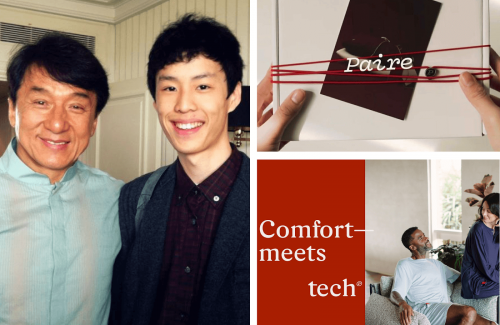
From Jackie Chan’s Assistant to Building Paire: How Nathan Yun’s Vision for Better Essentials Became a $15M a Year Brand

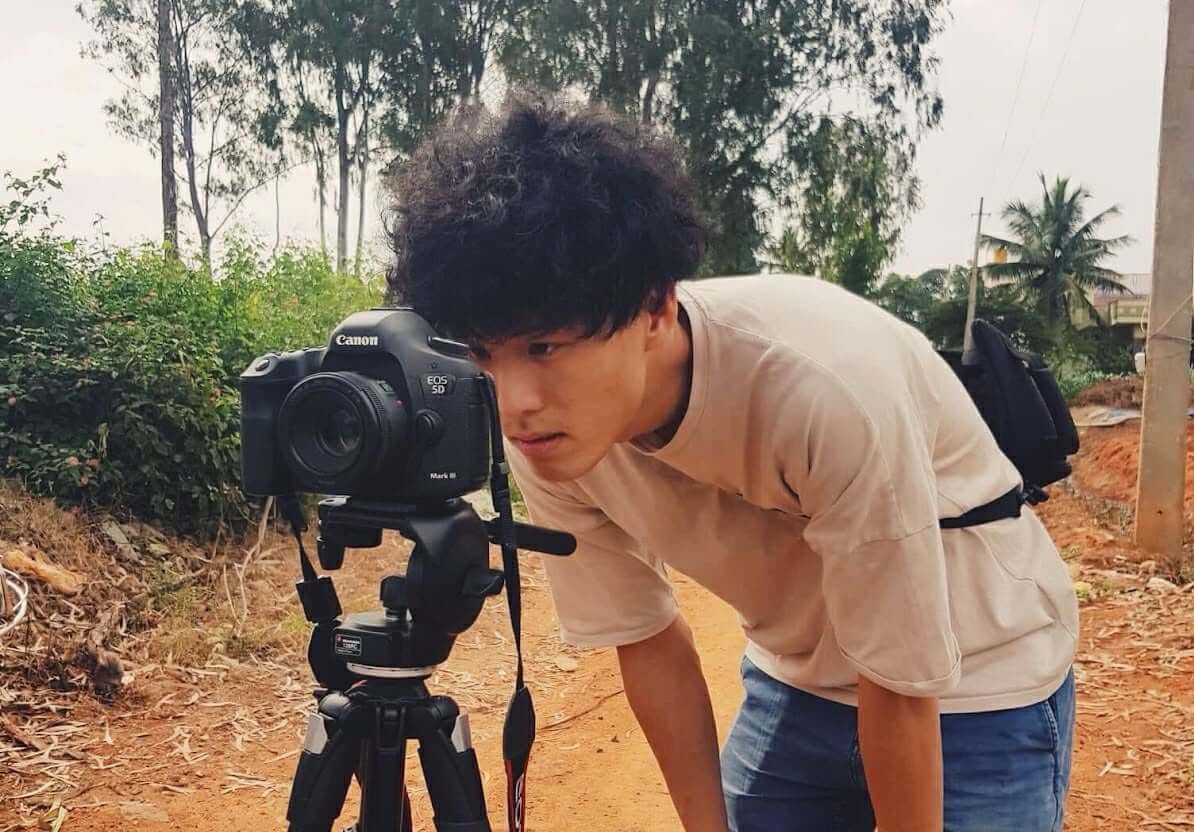
Nathan Yun did not start his career thinking he would one day build a consumer brand. His early years were spent on film sets and in editing rooms, learning how stories are shaped and how audiences respond to them. Working as an assistant to Jackie Chan gave him a front-row view of storytelling at its highest level. He watched how a single film could reach millions of people and create a shared emotional moment across cultures.

Yet over time, he noticed something that stayed with him. The inspiration was real, but it faded quickly. Once the credits rolled, people returned to their usual routines. That contrast made him question what lasting influence really looked like. Was it found in big, unforgettable moments, or in the small things people interacted with every day?

Paire grew out of that question, built not around trends or marketing tactics, but around everyday essentials, starting with socks. If stories could move people for a moment, Nathan believed products could shape how they lived every day.

From Film Sets to Daily Habits

Nathan came to understand that while stories stay with people selectively, habits are formed through repetition. Clothing, especially everyday essentials, plays a quiet but constant role in daily life. When something feels uncomfortable or wears out too quickly, people notice it immediately, even if they never say it out loud.

This insight marked a turning point. Nathan no longer wanted to create something people felt for a moment. He wanted to build something they could rely on every day. From the beginning, Paire was shaped around that idea.

Instead of chasing trends, the brand focused on fit, fabric, and longevity. The goal was simple: to make essentials people would reach for again without thinking.

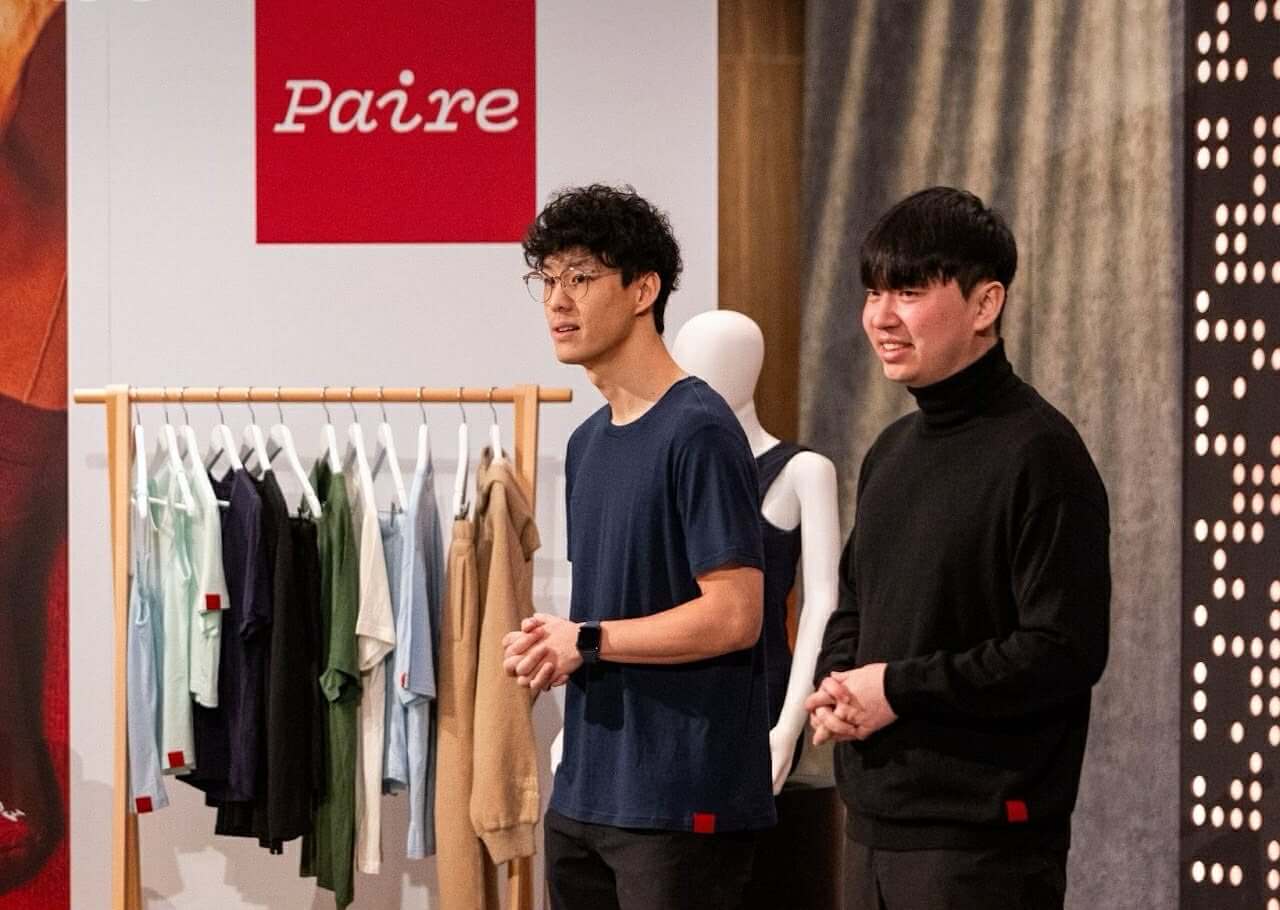
Nathan Yun (right), Founder of Paire

Learning How to Build Before Building His Own

Before launching Paire, Nathan spent five years at furniture startup Brosa, where he learned what it takes to grow a business beyond an idea. As the company expanded from a ten-person team to more than one hundred employees, his role evolved from content creation to leading brand and marketing.

During that time, he saw how forecasting affected inventory, how data guided growth, and how pressure increased as operations scaled. He also witnessed what happened when demand moved faster than systems, and how costly it could be to build those systems too late.

Those experiences shaped how Nathan approached entrepreneurship. He did not want to build Paire on instinct alone. He wanted a clear understanding of supply chains, margins, logistics, and customer behavior before committing to his own brand.

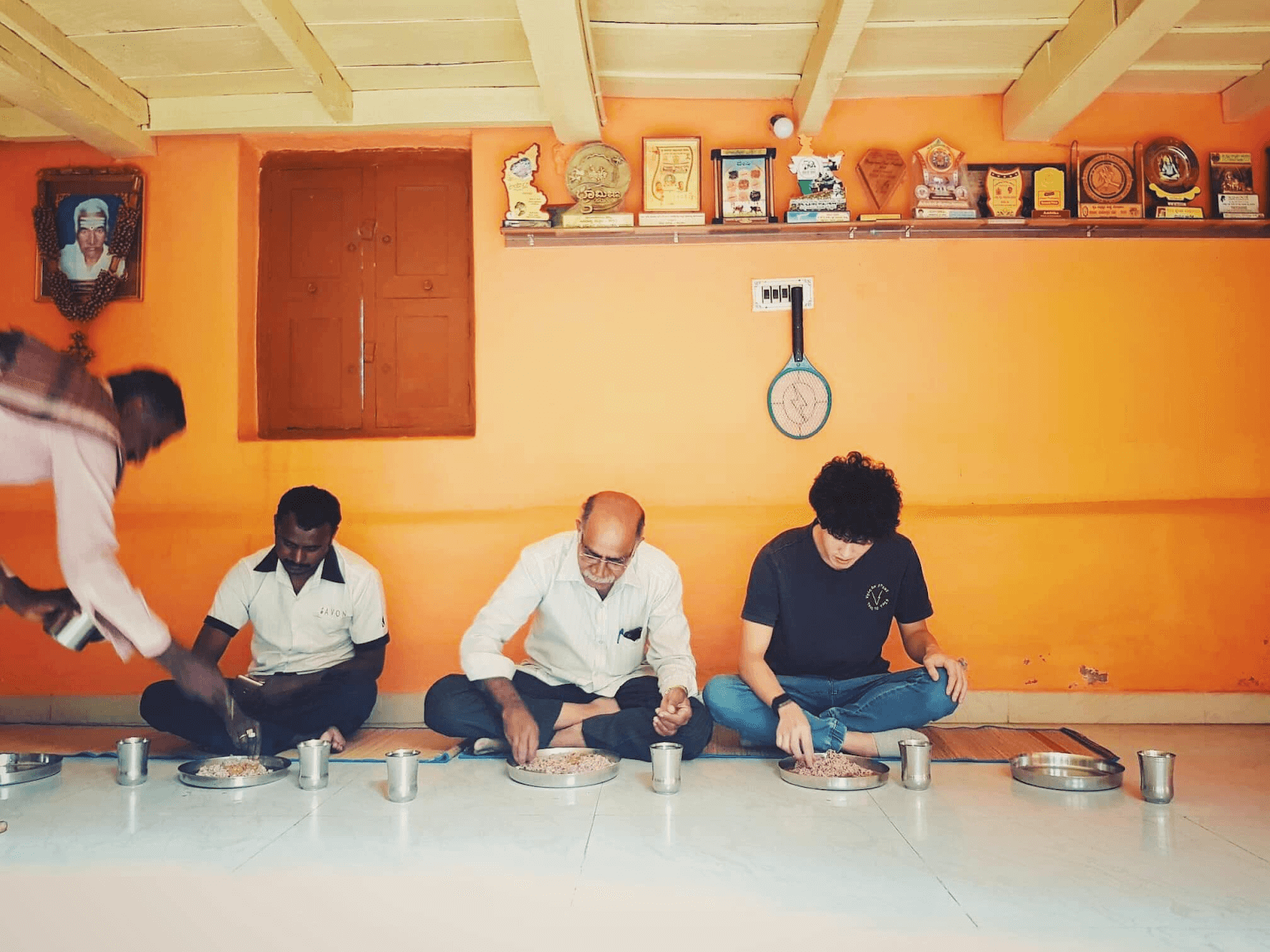
Nathan Yun (far right), Founder of Paire

The Trip That Made the Mission Personal

The purpose behind Paire became clear during a trip to India. Away from polished storefronts and online campaigns, Nathan saw the fashion industry in a very different light. He witnessed environmental damage near production sites and spoke with workers whose livelihoods depended on high-volume manufacturing.

“That experience made it clear something needed to change,” Nathan explains. What stayed with him most was how disconnected these realities were from everyday shopping habits.

Much of the damage he saw came from clothing treated as disposable. When he returned home, Nathan reached out to his longtime friend Rex, a textile expert. Instead of launching a wide range of products, they chose to start small. The focus was on improving a single item and making it last.

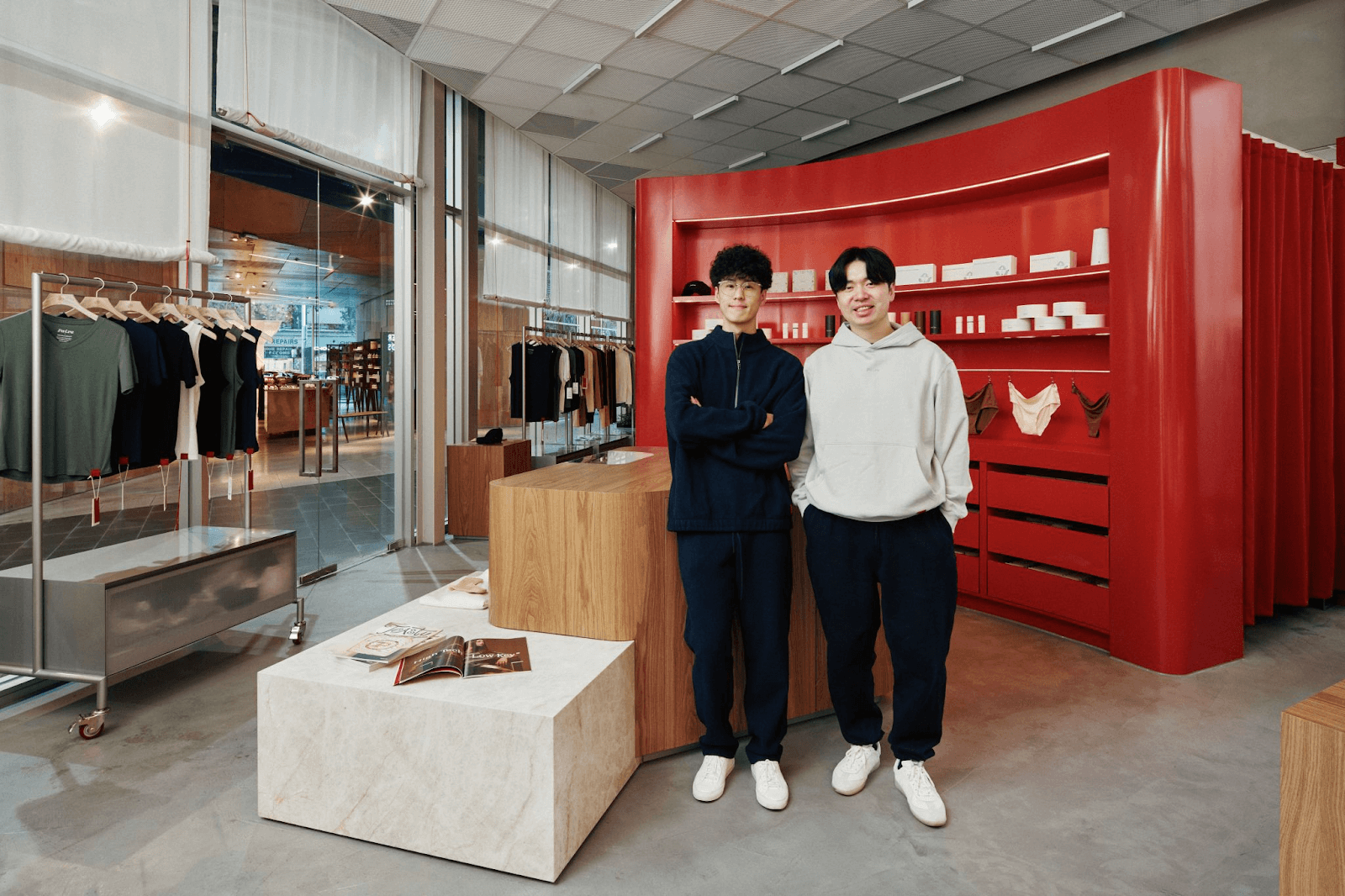
Nathan Yun (left), Founder of Paire

Earning Trust Through the Product Itself

Nathan understood that values alone would not earn loyalty. The product had to prove itself in everyday life. The team spent months refining fabric blends, improving breathability, and testing durability through repeated wear and wash cycles.

Pricing a pair of socks at twenty-four dollars came with risk. Most consumers were used to buying socks cheaply and replacing them often. But once people tried Paire, many returned. Nearly seventy percent became repeat customers, not because of marketing, but because the product became part of their routine.

By focusing on quality and longevity, Nathan Yun built a $15M-a-year brand that shows meaningful change does not always arrive loudly. Sometimes, it begins quietly, through the simplest things we rely on every day.

Follow Nathan’s journey:

📍 Website
📍 Instagram | LinkedIn

image (1)

Blogs, Development

What the Creator Economy Really Needs in 2026

The creator economy is no longer a niche corner of the internet. It is a $250 billion industry, powering modern marketing, culture, and commerce. Yet for the creators at its core, the experience often remains unstable and fragmented. Inconsistent rates, shifting platform demands, and “gifting” budgets paired with outsized expectations have left many navigating an ecosystem that hasn’t caught up to their value.

As we look toward 2026, the industry is approaching a tipping point. Growth alone is no longer enough. What creators need now are standards, systems, and support that allow them to build sustainable careers—not just viral moments.

Below are five critical shifts shaping the future of creator work, and the standards Meraki is building to support a stronger, more intentional industry.

1. Stronger Structure for a Growing Industry


Photo courtesy of Vivian Kwan (center), Founder of Meraki Group

While creator content has never been more polished, the backend of the industry remains disorganized. Uneven pay scales, scope creep mid-campaign, and unclear paths to professional growth are still common. Creators are often met with constant brief changes or “gifting” requests that require high-level deliverables without fair compensation.

The gap: There is no shared structure defining fair rates, clear deliverables, or realistic timelines across the industry. Expectations are often implied rather than stated, leaving creators to absorb last-minute changes, unpaid revisions, and expanded usage. Over time, this places most of the financial and emotional risk on creators instead of being shared evenly with brand partners.

The Meraki solution: Meraki builds every partnership on clarity. Terms and rates are established upfront, expectations are clearly defined, and communication stays transparent throughout the process. By setting strong boundaries early, creators are protected from underpayment, and brands begin each project with a shared roadmap for success.


2. Education That Powers Careers, Not Just Content


Image Source: Pexels

The biggest challenges creators face are rarely creative. They are structural. Pricing work correctly, understanding usage rights, and identifying harmful contract clauses remain major pain points—even for experienced creators.

Too often, creators are expected to learn these lessons the hard way.

The gap: Most creators enter the industry without access to professional guidance that supports long-term career growth. Knowledge around contracts, licensing, and negotiation is often gatekept or learned through costly mistakes. As a result, many creators stay stuck in short-term cycles instead of building sustainable paths forward.

The Meraki solution: Meraki focuses on training ethical, creator-first managers who act as true career partners. Through negotiation support and education around contract red flags, creators are equipped to think beyond the next deal and toward sustainable, multi-year growth.


3. Standards in Negotiation and Contracts


Image Source: Pexels

A significant number of creators still undercharge for their work, and 26% report needing help navigating contracts. Without standardized deal benchmarks, creators are often left guessing their worth—leading to pay gaps, rights misuse, and legal risk.

The gap: Negotiation norms vary widely, with no clear benchmarks for fair compensation or usage terms. Many contracts are written in dense legal language that creators are expected to sign without full understanding. This imbalance leaves creators vulnerable to losing control of their work and long-term earning potential.

The Meraki solution: Meraki empowers creators with defined negotiation standards and the confidence to secure fair, market-value deals. By demystifying contracts and usage terms, creators can focus on their craft knowing their income and intellectual property are protected.


4. Work Models That Protect Wellbeing


Image Source: Pexels

Burnout has become one of the industry’s most pressing issues, affecting more than half of full-time creators. The always-on model—driven by algorithm shifts and last-minute deadlines—is no longer sustainable.

Creativity cannot thrive under constant urgency.

The gap: Many campaigns are built around speed and volume rather than realistic creative timelines. Creators are expected to be constantly available, adapt instantly, and produce under pressure without recovery time. Over time, this erodes both creative quality and mental health.

The Meraki solution: Meraki advocates for structured planning and sustainable workflows. Campaign timelines are built to protect both creative quality and mental health, proving that high-level output does not require constant exhaustion.


5. Representation Rooted in Voice, Not Trends


Image Source: Pexels

Creators are increasingly resistant to being reduced to labels or treated as trend-driven checkboxes. True representation starts with understanding a creator’s voice—not forcing them into a predefined brand narrative.

The gap: Many partnerships remain transactional, prioritizing short-term relevance over genuine alignment. Creators are often selected to fill a category rather than for their perspective or long-term vision. This leads to inauthentic work that disconnects creators from their communities.

The Meraki solution: Meraki begins every partnership by listening. By understanding each creator’s goals and vision, Meraki aligns them with brands that share their values—fostering long-term relationships that feel authentic to both the creator and their community.


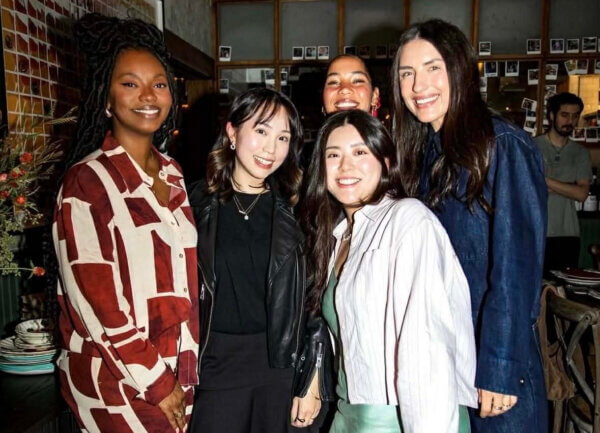
Photo courtesy of Vivian Kwan (second from left), Founder of Meraki Group


The Next Era: Purpose Over Pressure

As we look toward 2026, the transition from a “Wild West” to a professionalized industry requires more than just better tools—it requires a fundamental shift in how we value the humans behind the content. 

Meraki sits at the center of this new era, bridging creative passion with real professional growth. By pushing for fair standards, ethical representation, and sustainable careers, Meraki does more than manage creators; they help protect the future of creative work.wi

Learn more about Meraki Group:

📍Website

📍Instagram 

Joeydolls-Launch-Dolls-71-500px-jpg

Stories

Joeydolls by Samantha Ong: A Story of a Daughter’s Search and a Mother’s Mission

Where Identity Begins

Growing up in Australia as part of a small minority shaped Samantha’s early understanding of identity. It taught her what it feels like to search for belonging, to look for pieces of yourself in the world and not always find them. Those early lessons sat quietly in the background as she moved into adulthood.

Her career began in finance, a path she chose for its stability and predictability. But creativity eventually led her in a different direction. She built a thriving wedding photography studio—one that grew from passion, long nights, and the joy of capturing love stories. It was a life she couldn’t have imagined at the start.

Then the pandemic arrived. Overnight, hundreds of thousands of bookings vanished. The business she had spent years building collapsed in an instant. And in that same period of loss, another reality weighed heavily on her: the rise in anti-Asian hate. As a mother, the headlines and the stories hit differently. Samantha began thinking deeply about the world she wanted for her daughters—what they would grow up seeing, feeling, and believing about themselves.

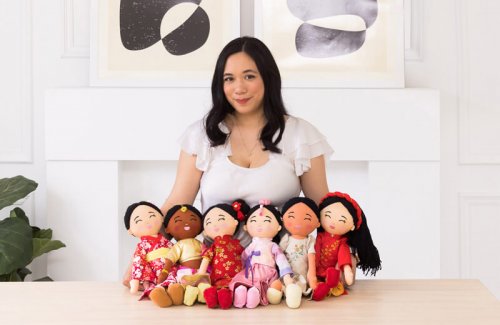
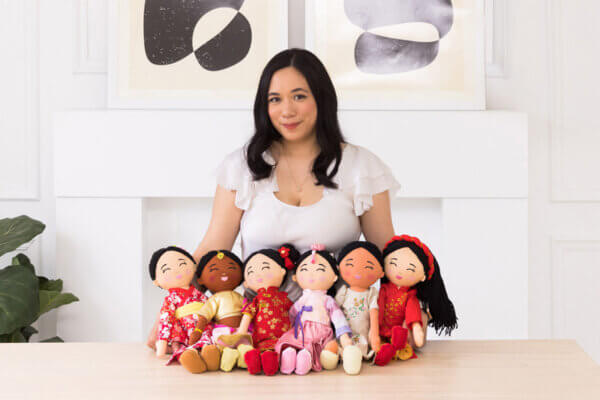
That led her on a simple search: dolls that reflected her daughters’ culture. But what she found were options that were limited, stereotypical, and often too expensive. It was a moment that crystallized something important. Realizing how quickly children learn about who they are, the idea for Joeydolls began to take shape—quietly, but powerfully.

Turning an Idea Into a Brand

An idea, however, is only the beginning. Turning it into a real toy brand meant stepping into a world Samantha knew nothing about. She had to learn everything from manufacturing to product design to e-commerce—starting from zero. There was no roadmap, just persistence and a mission that felt too important to abandon.

The timing made it even harder. Pandemic rules slowed communication. Shipping delays stretched out timelines from weeks to months. With very little funding, every decision mattered. Every misstep cost time she couldn’t afford to lose.

Then tariffs on goods from China jumped to 145%, and suddenly even the future of the business came into question. There were moments when it all seemed impossible—too expensive, too complex, too overwhelming for one person to navigate.

But Samantha kept going. She kept refining the vision, pushing through setbacks, and holding onto the mission that started it all. And she didn’t do it alone. Throughout the long nights and the uncertainty, she was supported by a husband working multiple jobs so she could stay focused on building the brand their daughters—and so many other children—deserved.

A Brand With a Bigger Purpose

Today, Joeydolls has sold over 15,000 dolls and earned major recognition. But those numbers only tell part of the story. At its heart, the brand is Samantha’s answer to a question that began during one of the hardest moments of her life: How do we help children grow up seeing their cultures celebrated, not erased?

Joeydolls stands as that answer—a way for children to see their cultures reflected with pride, dignity, and everyday joy. What started as a search for her own daughters became a mission to help thousands of children feel seen, valued, and connected to where they come from.

A single doll can seem small. But for many families, it’s a beginning. And for Samantha, it’s proof that representation—when created with care—can grow into something far bigger than one person’s story.

Learn more about her story here: https://www.joeydolls.com/

Rosemead_Key-Still

Stories

Lucy Liu Stars in “Rosemead,” a True Story of Immigrant Mothers Facing Fear and Mental Health Challenges

Lucy Liu is once again bringing us a powerful performance with Rosemead, a film that has been picked up by Vertical for a December theatrical release. The story follows a mother who begins to see troubling changes in her teenage son, opening the door to a deeper look at fear, love, and mental health.

Recently, the film gathered strong early interest after drawing a full audience at a special screening held at the Metreon in San Francisco. Hosted by Dave Lu, the event sparked conversations about topics often avoided in public spaces, especially within immigrant communities. 

With its growing list of festival honors, positive reviews, and a narrative inspired by real events, Rosemead is already being recognized as one of Liu’s most powerful and personal performances to date.

                                                                          Image Source: BBC

A Story Built on Fear and Family Pressure

At the heart of Rosemead is a mother who becomes concerned as her son’s behavior shifts in unsettling ways. What begins as quiet anxiety slowly grows into a frightening urgency as she realizes the situation may be more dangerous than she imagined.

As her fear rises, she faces the painful question of how far a parent can go to protect the child they love. The tension builds with each scene, making her inner struggle feel both real and universal.

The story takes place within a Chinese American household where cultural expectations and unspoken worries create additional layers of pressure. Lucy Liu captures these emotions with precision, while newcomer Lawrence Shou brings a raw, unpredictable intensity that deepens the film’s emotional impact.

                                                        Image Source: The Traveler’s Take

Building Momentum Through Festival Wins

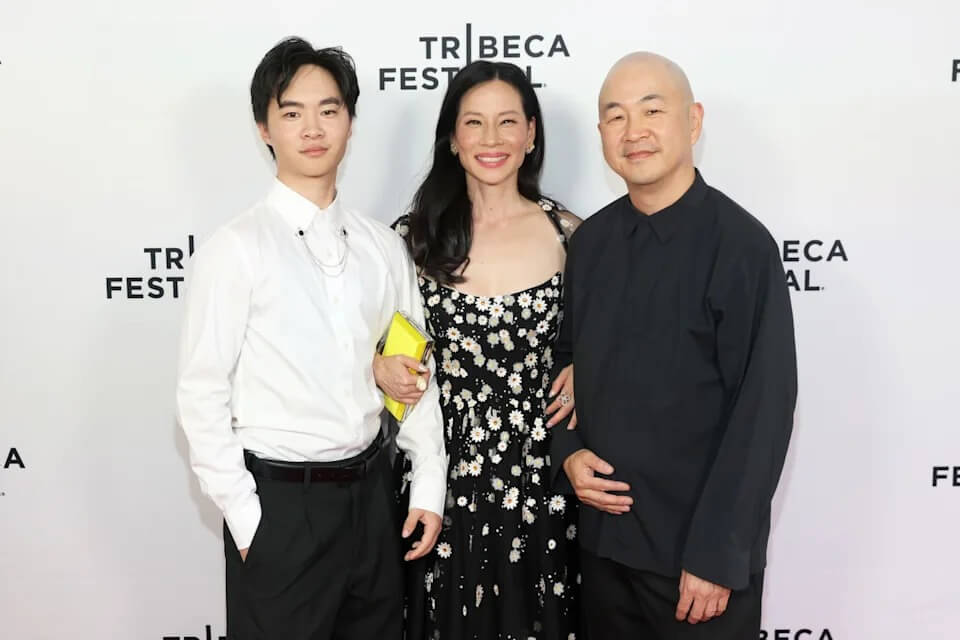
Before reaching theaters, Rosemead had already made a strong impression on the festival circuit. Its premiere at Tribeca drew praise for its gripping approach to storytelling and its standout performances.

The film’s momentum continued as it won Best Narrative Feature at the Bentonville Film Festival, adding to its early recognition. It gained even more attention after earning the Prix du Public UBS audience award at the Locarno Film Festival.

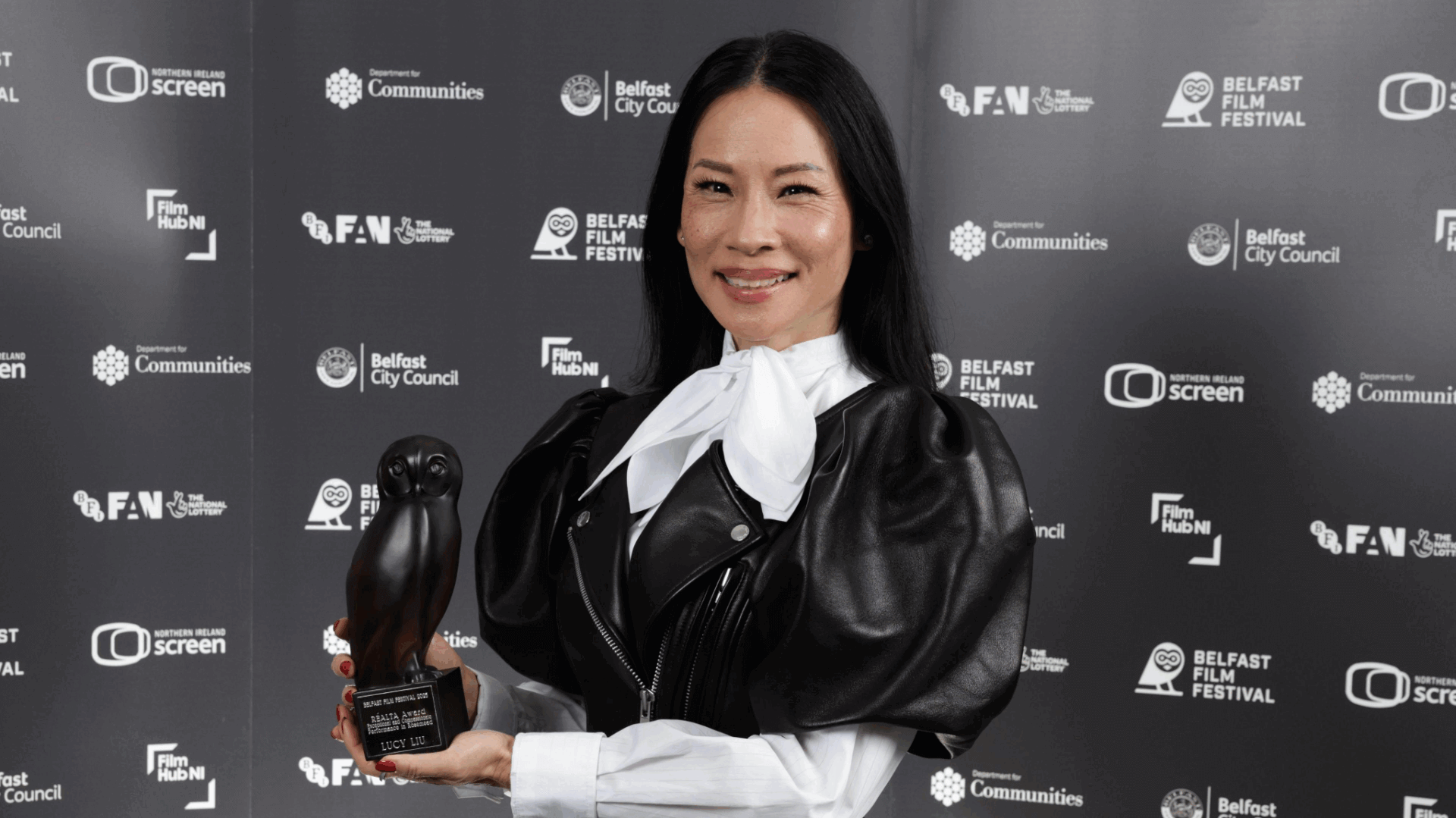
During its time at Locarno, Lucy Liu also received a Career Achievement Award that highlighted her long-standing influence in the industry. Vertical’s Peter Jarowey praised her work for its emotional depth, while also recognizing director Eric Lin’s bold and confident vision in his feature debut.

                                                                     Image Source: Yahoo

A Strong Screening at the San Francisco Metreon

The event at the Metreon brought together creators, film lovers, and local community members for an open discussion about the upcoming release. The gathering served as a space for people to share expectations, explore the film’s themes, and talk about the real-life issues it aims to portray.

The audience noted how the film reflects real family struggles, especially those found in immigrant households. Its grounded approach to fear and uncertainty sparked discussions about mental health and cultural expectations.

After the screening, conversations centered on Liu’s controlled yet deeply affecting performance. Lawrence Shou also drew attention for his breakout role, adding to the anticipation for the film’s one-week run in selected theaters this December.

Experience the film in theaters and see why it’s already drawing strong early interest. Rosemead is set to premiere in select theaters on December 5, 2025 in New York City; December 12, 2025 in Los Angeles, and more cities to follow on January 9, 2026.

                                                               Image Source: Nikolas Liepens