

podcast
video
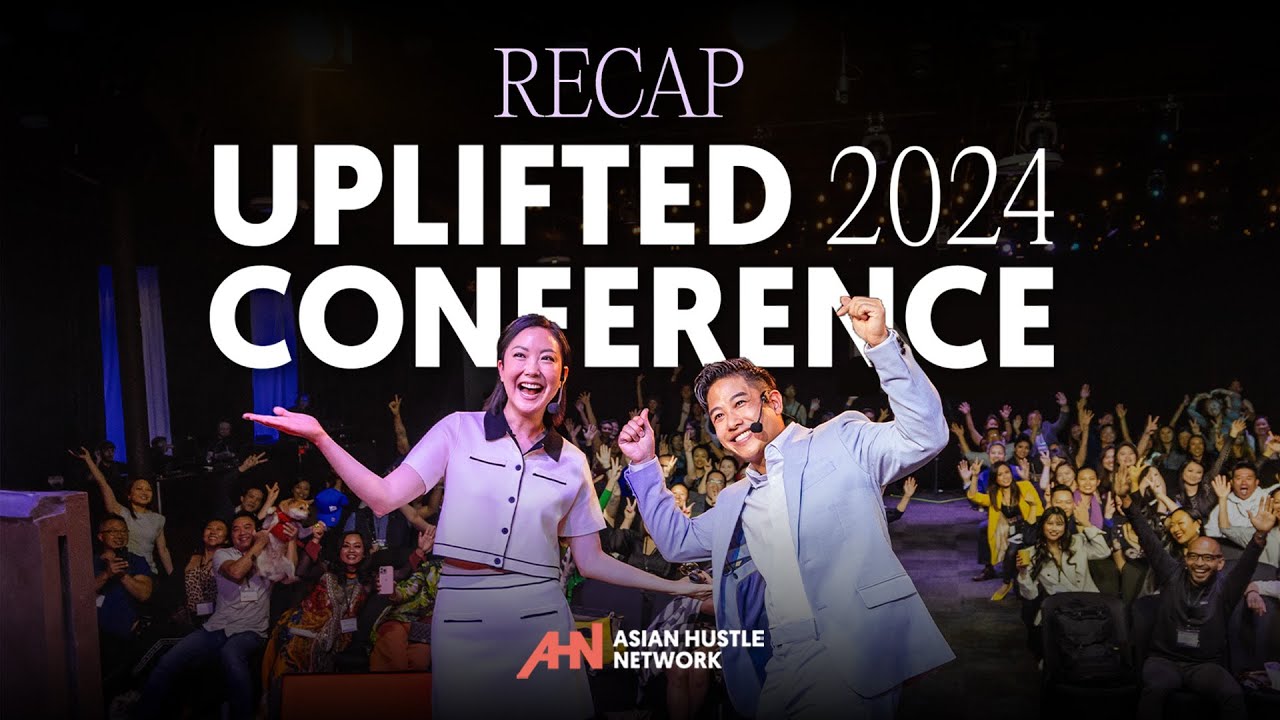
Uplifted Conference Las Vegas 2024 Recap | AHN
Bing Chen | Uplifted Conference Las Vegas 2024 | AHN
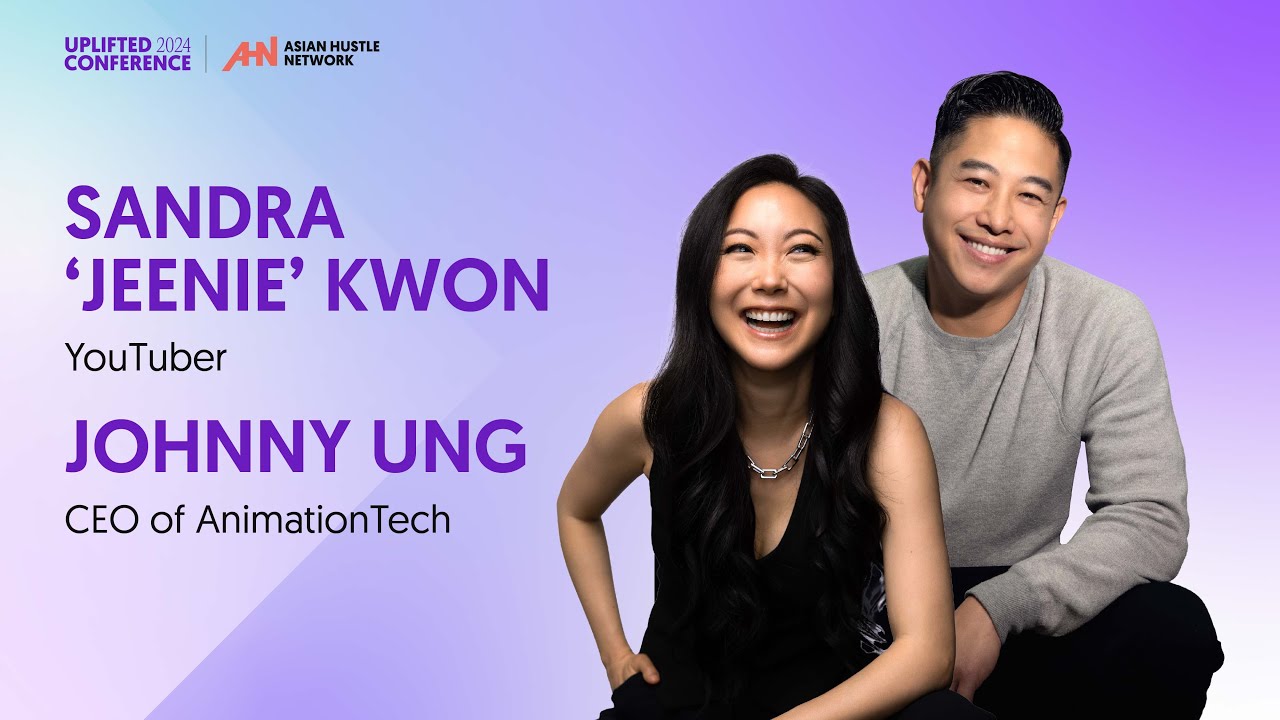
Jeenie Weenie & Johnny Ung | Uplifted Conference Las Vegas 2024 | AHN
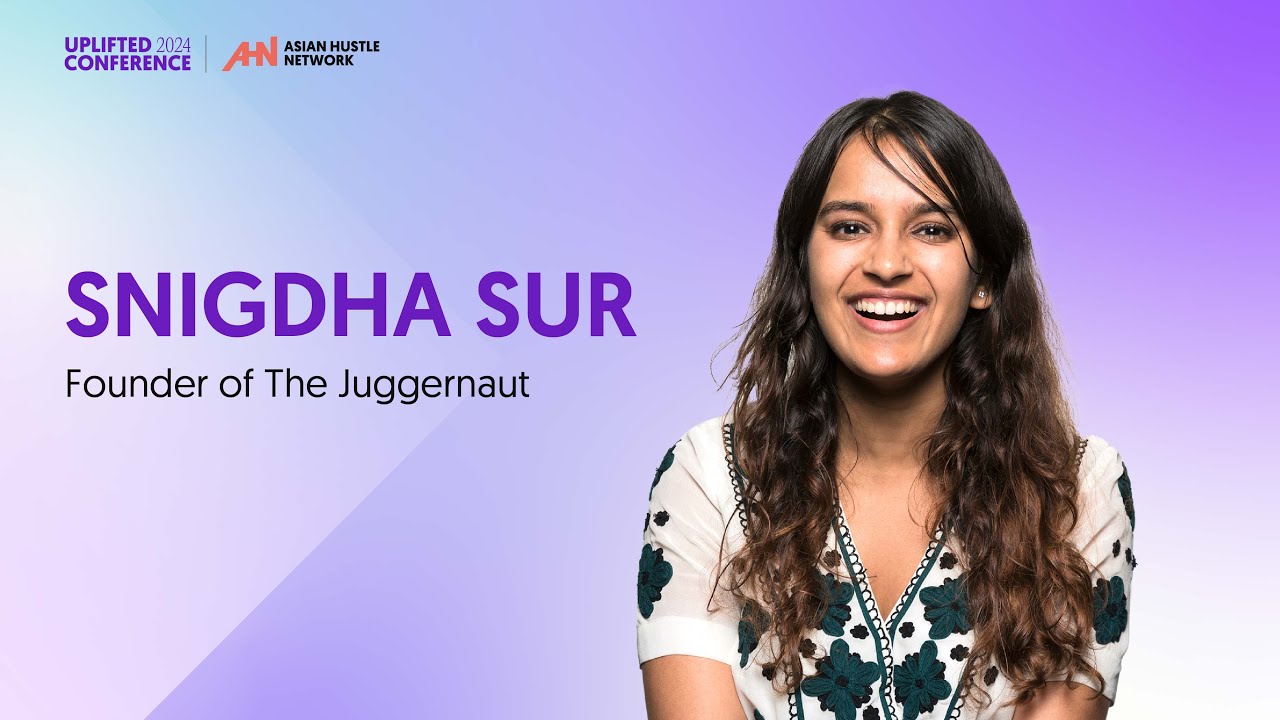
Snigdha Sur | Uplifted Conference Las Vegas 2024 | AHN
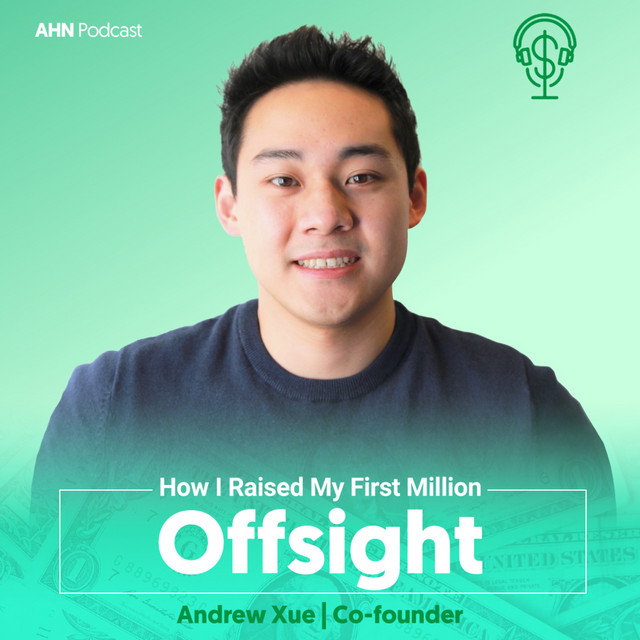
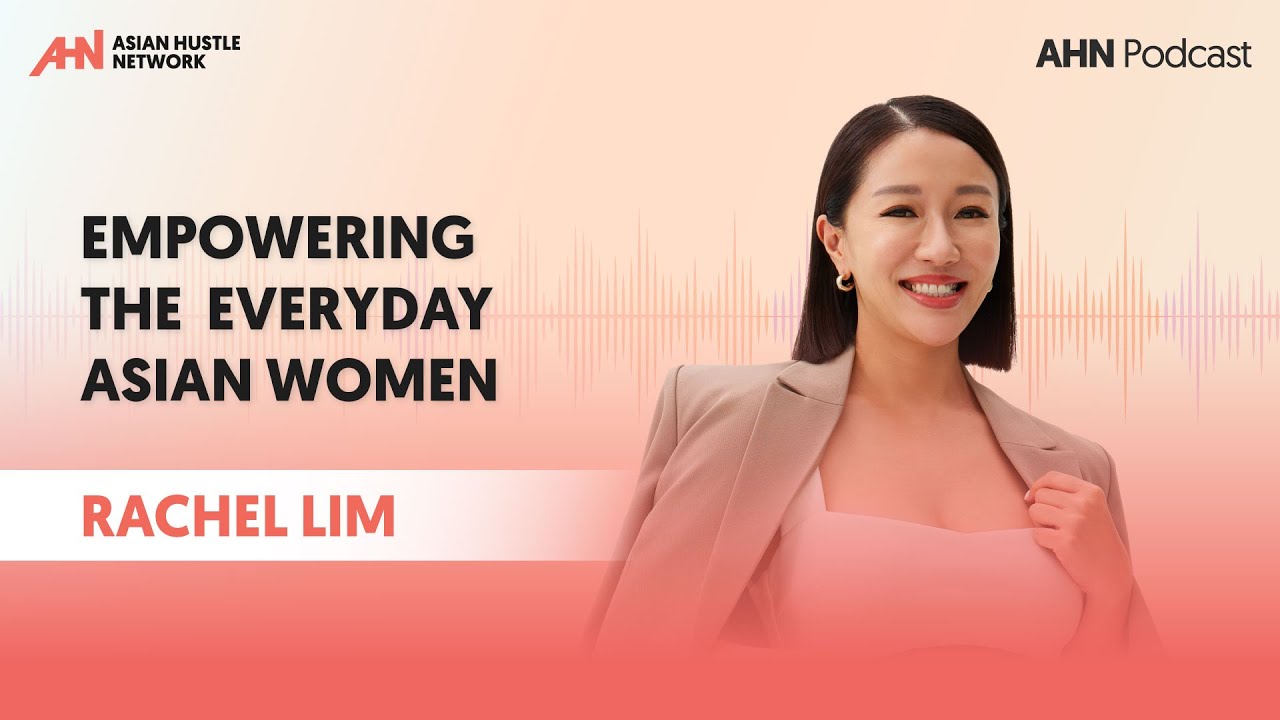
AHN Podcast | S3 | EP209 | Rachel Lim
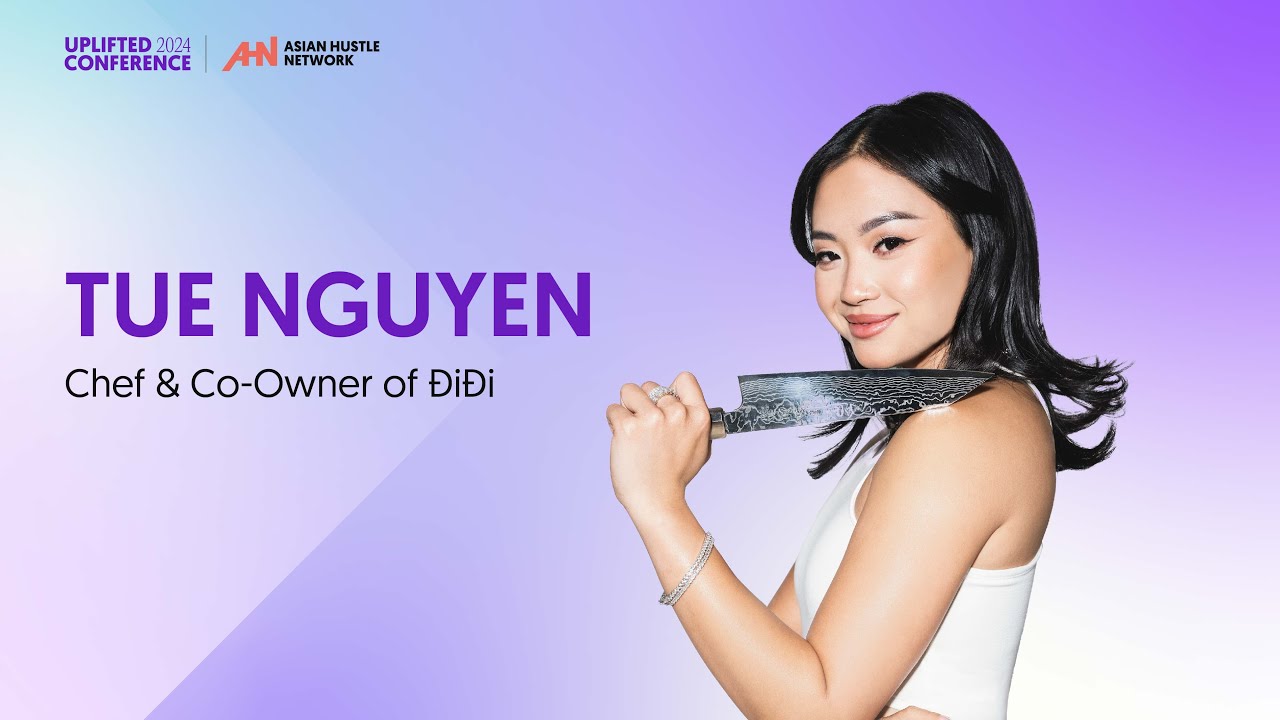
Tue Nguyen | Uplifted Conference 2024 | AHN
Article
News
While Trump claims tariffs will significantly impact the countries they target, experts argue that consumers and businesses will bear the brunt of the consequences.
Research by The Budget Lab at Yale University estimates that price levels may rise to 2% this year, equivalent to $3,000 per average household. Another report from D.C. stated that the new tariffs on China affect about 14% of U.S. imports and may raise costs to $25 billion annually. As the tariff war escalates, everyday consumers will face even higher prices.
Asian American communities and businesses are particularly vulnerable. In New York’s Chinatown, 28% of residents already live below the poverty line. With many companies relying on imports from Asia, owners are uncertain about their survival.
“Here in Chinatown, especially, we have many elderly residents on fixed incomes,” says Edward Lau, owner of a traditional medicine shop in San Francisco’s Chinatown. With 90% of his stock sourced from Hong Kong and China, he worries, “If it gets very expensive, their spending power will be lower. Chinese immigrants will ultimately be harmed the most.”
Taylor Chow, owner of American Tai Wah Trading Corp, adds, “The Chinese community in Chinatown has been hit hard most because we consume a lot of imported ingredients. A lot of products only come from China. Even if manufacturers try to move their production line to Vietnam, to Malaysia, to Singapore, it’s not that easy.”
Supply chain disruptions and rising costs are straining small Asian American businesses. Since the community depends on these shops for cultural goods, they, too, will feel the pressure.
Mei Lum, owner of Lum’s Store, the longest-operating business in Manhattan’s Chinatown, explains, “Our working-class community here in Chinatown is definitely, in these circumstances, always being hit the hardest. And a lot of them have told me that their solution to mitigating these circumstances has been to eat those costs and only raise those prices by a smidgen, just to make sure they’re affordable for the people that frequent their establishments. How long can they sustain that?”
The erosion of these businesses could lead to cultural loss, impacting food, traditions, and ceremonial products. Lucas Li, whose family runs Lion Trading in San Francisco, specializing in feng shui and spiritual supplies, says, “When they get expensive, it makes it harder for Chinese people, for their families to maintain those traditions and do it at the proper steps. When customers shop at local businesses and small businesses, they’re not just buying a product, they’re basically investing in the community, supporting families, and protecting our traditions.”
Large online retailers like Shein, Temu, and AliExpress are also affected. While it is unclear how much product prices will rise on these e-commerce platforms, experts predict delivery delays and price hikes due to tariffs. Youssef Squali, an analyst at Truist Financial, notes, “The vast majority of these orders are valued less than $800, which means all or virtually all of them are going to get caught in that.”
Ultimately, Asian Americans may feel the greatest impact. As Linda Chao, a resident of Oceanview, states, “When there are tariffs, it won’t fall on China, it’ll fall on us. It can’t be helped. I also don’t have time to go and protest. I feel there’s nothing we can do.”
Sources: NBC News, The Chronicle, AP News, University of Virginia, The Guardian
- 3 min read
Design
As AI increasingly makes its way into the UI designer’s toolkit, Midjourney is fast becoming one of the most popular image generators.
With a simple text prompt, you can use Midjourney AI to create custom digital artworks, whip up an app screen, design individual UI elements, and generate colour palettes—all in a matter of seconds.
For UI designers, this can really accelerate the ideation process and help you expand your own creativity.
So how does Midjourney AI work? And how can you leverage it in the UI design process? Let’s take a look.
What is Midjourney AI and how does it work?
Midjourney is a generative AI tool created by Midjourney, Inc.—an independent research lab based in San Francisco.
Midjourney AI generates images and digital artworks based on text prompts. If you enter a prompt asking for an image of a mermaid swimming underwater surrounded by marine life, Midjourney will generate four versions for you to choose from. The more specific your prompts, the better—but we’ll get to the art of prompt-writing for Midjourney in a later section.
Midjourney works within the Discord platform. Discord is an instant messaging app, commonly used to create communities where users can chat via text, voice, and video. Discord essentially facilitates communication between the user and the Midjourney bot.
Midjourney uses two key machine learning technologies:
- Large Language Models (LLM): this is how Midjourney understands and interprets the text prompts provided by the user.
- Diffusion Models (DM): in very simple terms, this technology converts random visual noise into a meaningful image. You enter a text prompt, which sparks a field of visual noise. The AI then progressively removes that noise in incremental steps, eventually resulting in an image that resembles what you’ve asked for.
Now we know what Midjourney is and how it works, let’s drill down to some key functions and features.
What can Midjourney AI do? Key features
Midjourney’s core function is to convert text prompts into images. This allows you to generate unique digital artworks and graphics in a range of styles.
You can guide the image generation process by applying custom parameters to your prompts. You might specify a certain aspect ratio, for example, or a particular style such as ‘watercolour’ or ‘flat design’.
You can also customise the quality of your images by specifying, within your prompt, a value for the rendering quality. You might specify ‘q 1’ (that’s the default quality level) or request that images be rendered to a higher quality by specifying ‘q 2’ in your prompt.
Once you’ve entered your prompt, Midjourney will give you four different image versions. You can choose to upscale a particular version, which will increase the size/dimensions of the image and also improve the quality.
Beyond image generation, Midjourney serves as a great source of community and inspiration. You can share your creations and browse images created by others, allowing you to see what’s possible with Midjourney and sparking ideas for your own work.
How to get set up on Midjourney AI
To use Midjourney AI, you’ll need to create both a Discord account and a Midjourney account.
If you’re not already a member, first head over to the Discord platform and follow the instructions to create your account. Once you’re signed up, join the official Midjourney Discord server by clicking the ‘Accept invite’ button.

You’ll then find yourself in the “Getting started” channel, where you can create your Midjourney account (if you haven’t already done so) by clicking “Get your Midjourney membership” (visible in the chat):
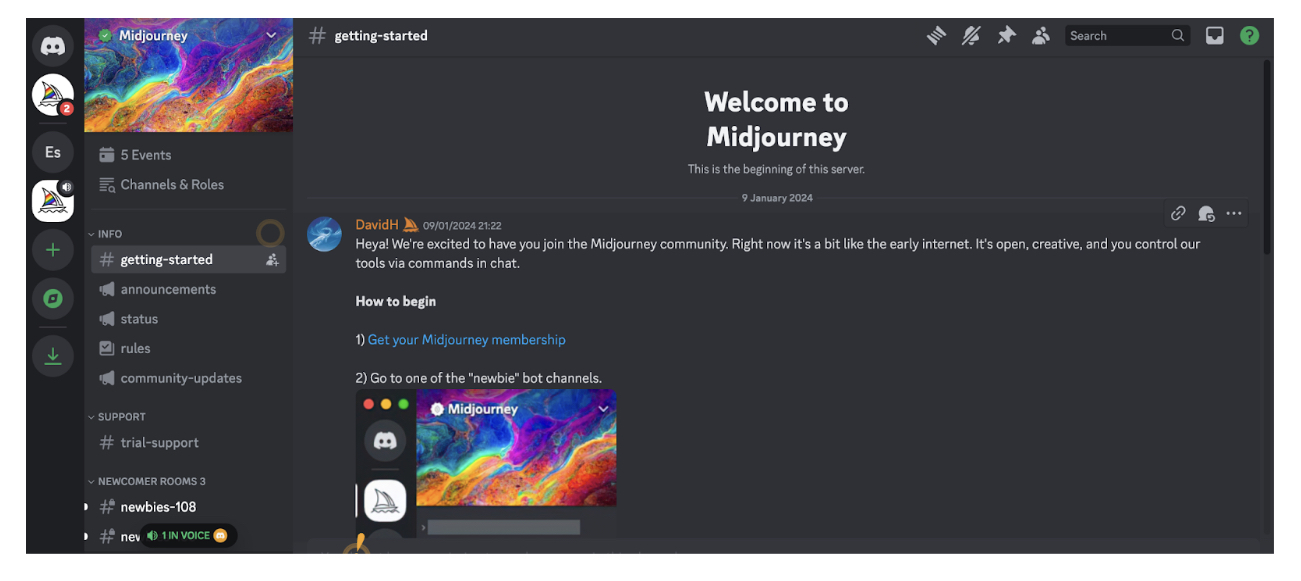
This will take you to a separate page, the Midjourney showcase, where you can click “Sign up” in the bottom left corner to create your Midjourney account.

Once you’re signed up and logged in to Midjourney, you can navigate back to the Midjourney Discord server and enter one of the so-called “newbie” bot channels. You’ll find available newbie channels on the left-hand side.
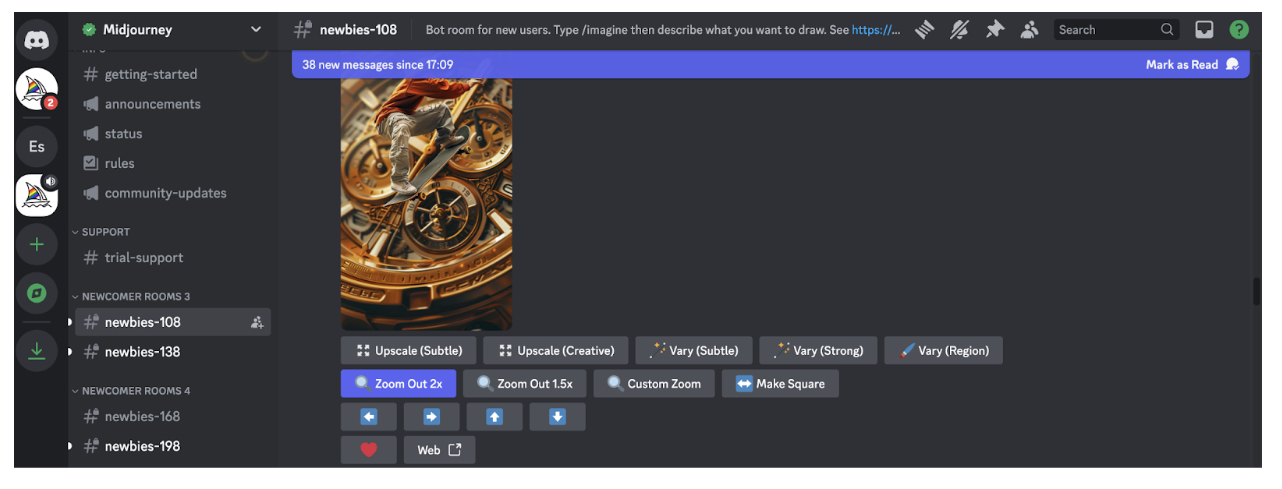
You can then enter your own prompts into the chat box to start generating images.
At the time of writing, Midjourney is no longer offering a free trial for new users. If you want to start prompting, you’ll need to sign up for a paid subscription.
How much does Midjourney AI cost?
Midjourney offers four price tiers:
- Basic Plan for $10 per month or $96 per year with an annual subscription (that’s around €9 per month / €89 per year)
- Standard Plan for $30 per month or $288 per year with an annual subscription (that’s around €28 per month / €267 per year)
- Pro Plan for $60 per month or $576 per year with an annual subscription (that’s around €55 per month / €533 per year)
- Mega Plan for $120 per month or $1,152 per year with an annual subscription (that’s around €111 per month / €1,066 per year).
For more information about each price tier and what’s included, visit the official Midjourney pricing page.
How to use Midjourney AI in UI design (with example prompts)
Midjourney can generate custom visuals in a matter of seconds—making it an incredibly interesting tool for UI designers. You can use Midjourney to quickly create screens and individual UI components, come up with themes, styles, and colour palettes, and generate unique digital artwork.
Note, however, that the graphics you create with Midjourney won’t necessarily be directly usable—and working with Midjourney doesn’t eliminate the need to create your own screens and elements using the usual UI tools like Sketch and Figma. If you generate an app screen with Midjourney, for example, you’ll still need to actually create that screen from scratch yourself.
Where Midjourney really comes in useful is helping you to explore different ideas and concepts and gather inspiration. You might use your AI-generated artwork to inspire mood boards, kick-start an ideation session, or serve as a guide for certain layouts or colour schemes.
With that, let’s consider some examples of how to use Midjourney for UI design.
Use Midjourney AI to generate app screens
If you’re designing for mobile, Midjourney can help you ideate layouts and designs for various app screens. If you’re designing a dating app, for example, you might try the following Midjourney prompts:
- /imagine a vibrant and fun login screen for a dating app, with an eye-catching background, username and password fields, and buttons for login and social media sign-ins
- /imagine a user profile screen for a dating app, featuring a large profile picture at the top, user bio, interests, and match percentage displayed in a clean layout
- /imagine a match screen for a dating app, showing potential matches with profile pictures, a brief bio, and buttons to like, dislike, or super like
- /imagine a chat screen for a dating app with a clean interface, message bubbles, timestamps, and an input field at the bottom
Create UI components such as icons, buttons, and logos
Perhaps you want inspiration for the finer details of your app or website. In that case, try using Midjourney AI to create individual UI components such as icons, buttons, and logos. Here are some prompt examples to guide you:
- /imagine a set of modern buttons for a mobile app, including primary, secondary, and disabled states, using a black and white colour scheme
- /imagine a collection of minimalist icons for a mobile app, including icons for home, search, messages, settings, and notifications
- /imagine a sleek and modern logo for a dating app, incorporating elements of connection and love, with a vibrant colour scheme
Generate theme and style concepts
In the early stages of the design process, you might focus on coming up with an overall visual style for your website or app—and Midjourney can help with this, too. Specify your vision or initial ideas and let Midjourney bring them to life.
Consider the following prompt examples:
- /imagine a light mode theme for a productivity app, featuring white backgrounds, soft grey UI elements, and navy blue highlights
- /imagine a dark mode theme for a music app, with black backgrounds, dark grey UI elements, and neon pink highlights
- /imagine a vibrant and colourful theme for a creative design app, with bold colours like orange, pink, and teal, playful typography, and dynamic UI elements
Create custom website imagery
Imagery plays an important role in UI design, helping to reinforce brand identity and enhance the visual appeal of your website or app.
Whether you want to create cartoon-style illustrations, abstract artwork, or realistic images of products, places, or people, Midjourney can generate custom imagery that reflects your brand and vision.
Here are some examples of how you might prompt Midjourney to generate images for different use cases:
- /imagine a stunning hero image for a tech startup website, featuring abstract technology elements and a modern cityscape in the background
- /imagine a set of custom illustrations for a health and wellness website, featuring people doing yoga, eating healthy, and meditating
- /imagine a unique background image for a creative agency website, with abstract shapes and vibrant colours
Generate colour palettes
Perhaps you want help coming up with the perfect colour palette, or you’ve already got a colour scheme in mind and want to see how it looks in practice. Again, Midjourney is an excellent source of inspiration here. Simply specify the kind of look and feel you’re aiming for and Midjourney can generate multiple colour palettes accordingly.
Consider the following prompt examples to guide you:
- /imagine a pastel colour palette for a wellness app, featuring soft shades of mint green, blush pink, lavender, and light grey
- /imagine a bold, split-complementary colour palette for a fitness app, comprising three colours
- /imagine a monochromatic colour palette for a finance app
How to write effective prompts for Midjourney AI
As with all generative AI tools, the quality of the output depends on the quality of the input. In other words, it’s up to you to tell the AI what you want—and to master the art of prompt-writing for the specific tool you’re using.
Here are some tips to help you write effective prompts for Midjourney AI:
- Start each prompt with the /imagine command, followed by a description of what you want the AI to create.
- Keep it simple and specific. To quote the official Midjourney guidelines for prompt-writing: “The Midjourney Bot works best with simple short phrases that describe what you want to see. Avoid long lists of requests and instructions.”
- Specify what you want the image to include, rather than what you don’t want it to include. Even if you specify “no flowers” in your prompt, the AI will likely only focus on the word “flowers” and therefore create an image that does indeed contain flowers. If you absolutely want to exclude something from the image, use the “no” parameter. For example: – – no flowers.
- If necessary, specify your desired aspect ratio using the following parameter: – – ar [value]. If you wanted to generate an app screen, you could specify – – ar 16:9.
- Use the stylize parameter to control the level of artistic flair that Midjourney injects into each image. If you imagine that the default level, 2500, gives you a medium level of stylization, you can dial it up or down by specifying values higher or lower than 2500. If you wanted to generate an image of a garden that’s more realistic than artistic, you might specify – – stylize 500. If you wanted to create an image of a garden that looks magical and fantastical, you might specify – – stylize 3500.
- Use the quality parameter to adjust the level of quality and detail in the image. – – q 1 is the default, so work from that value to dial the quality up or down.
Most importantly, be prepared to experiment. The more you use Midjourney, the more intuitive the art of prompt-writing will become. You’ll start to get a feel for what works and see how different words, phrases, and parameters influence the output.
Ethical considerations when using Midjourney AI
If you’re using Midjourney AI (or indeed any AI tools) throughout the design process, you must take care to use it responsibly. Here are some of the most important ethical considerations to bear in mind.
Intellectual property and copyright
When generating images with AI, be careful about replicating existing images or artworks created by other artists or designers. You might use a famous logo for inspiration, for example, but you wouldn’t want to emulate the style too closely to the point of copying.
Deceptive and misleading content
This is like the visual equivalent of fake news—creating image-based content that deliberately deceives, misleads, manipulates, or spreads misinformation. Don’t do it!
Stereotypes and bias
It’s well-documented that AI can and does perpetuate harmful stereotypes and biases. As a human user, you must be diligent about actively looking out for such biases and taking steps to mitigate them.
Strive to generate images that are inclusive and representative of diverse groups. If you generate an image that doesn’t feel inclusive or could potentially exclude or harm certain people, don’t use it. You can learn more about the importance of designing inclusive content in this guide.
As a general rule: always review AI-generated content with a critical eye, and use your better judgement. As a human user, it’s your responsibility to consider the impact of any content you create—and to ultimately decide what makes it into the public domain.
The takeaway
Midjourney AI can generate custom images in seconds, making it an excellent tool for gathering inspiration, sparking your own creativity, and ideating and exploring different design concepts, layouts, and styles.
Whether you use it to generate fully-fledged app screens, individual UI elements, impressive artworks, or colour palettes: Midjourney AI is a powerful addition to your UI design toolkit.
Ready to get started with Midjourney AI? Experiment with different prompts and use cases, explore other Midjourney users’ creations, and be mindful of the ethical considerations we’ve laid out in this guide. You’ll soon be generating images like a pro!
- 12 min read
Design
What does UX stand for? Learn more about what UX means, why it’s so important and what defines good UX.
“UX” stands for “user experience.” It describes the quality of the experience an end user has with a specific product, service, company or brand.
Although it’s often talked about in relation to digital products, like apps and websites, UX can relate to anything that an end user can interact with or encounter.
Take the example of going into your local bank to open a new account. If the process is quick and simple with clear instructions, easy-to-find information and friendly customer service, you’d come away feeling like you had a good user experience.
The same goes for ordering something online or using an app on your phone. If you’re able to accomplish your desired tasks with minimal effort, you’ll find the user experience to be a pleasant one.
UX doesn’t relate to one specific thing. It’s the sum of all the smaller parts that determines whether the overall encounter between the product/service and the user is a positive one. You can think of it as the impression the user leaves with and whether or not they’d be keen to repeat the experience. To learn more, keep reading.
What is user experience (UX) design?
If UX describes the quality of a user’s encounter with a particular product or service, UX design is the process of creating and shaping these experiences, with the goal of making them positive, pleasant and valuable for the end user.
UX design isn’t about how a product looks; that’s just one aspect of the overall user experience. It’s about ensuring that the product is logical, functional, easy to navigate and generally user-friendly.
There are 5 elements of UX design to consider:
- Strategy: Deciding which objectives the product should meet, including both end user goals and client/business stakeholder objectives.
- Scope: Fleshing out the details of the product, determining which features and functionality it should offer.
- Structure: Mapping out the structure of the product, considering how users will navigate from one point to the next and what information they’ll need to move around the product and accomplish their goals.
- Skeleton: Drilling down to the finer details of how each page should be structured and which elements (buttons, menus and other content) will go where.
- Surface: Considering the user’s sensory experience of the product, defining how the product will look in terms of colors, imagery, spacing, typography and so on. This is where UI design comes in.
Where does the term “UX” come from?
The term “UX” was invented by Donald Norman, a cognitive psychologist who started working at Apple in the early 1990s. He took on the role of User Experience Architect, making him the first (known) person in history to have UX in their job title.
Explaining the origins of UX, Donald Norman said:
“I invented the term because I thought human interface and usability were too narrow. I wanted to cover all aspects of the person’s experience with a system, including industrial design, graphics, the interface, the physical interaction and the manual.”
What is the difference between UX and UI?
If you’ve heard of UX, you’ve probably also heard of UI. The terms are often used together but it’s important to be clear on the difference between them.
UX is a much broader term, covering everything that influences how a user feels when they use a product or service. It’s a comprehensive discipline that involves research, analysis, and understanding user needs.
UI stands for “user interface”, which is the point of interaction between an end user and a digital product. It’s a more narrow discipline that involves the visual design of the screens, buttons and other touchpoints you might use to navigate an app or a website.
The way the user interface (UI) is designed has an impact on the overall user experience, so UI is an important part of UX.
| UX | UI |
| Stands for “user experience” | Stands for “user interface” |
| A broad discipline | A narrow discipline |
| Involves the quality of the experience as a whole | Involves the design of the user interface |
| Concerned with research, analysis, and understanding user needs | Concerned with visual design |
You can learn more about the difference between the two, as well as how they go hand-in-hand, in this guide to UX vs. UI.
Why is UX important?
UX is important for two reasons: business value and human value. Let’s look at both.
The business value of UX design
If you have a positive experience with a product or service, you’re more likely to use it again and become a loyal customer. You might even recommend it to friends and family. That’s great for the brand reputation, which ultimately determines whether or not the product or service is successful and profitable.
On the flip side, a negative user experience leaves a bad impression of the product, service or brand. If it’s less than satisfactory, you’ll be inclined to go elsewhere, like a competitor with better UX.
Wherever there are two similar products or services offering the same functionality, the one with the best UX will always win out. UX is therefore crucial for winning and keeping customers, developing a positive brand reputation and, ultimately, for driving profit and business growth.
In sum, the business value of UX design includes:
- A competitive edge in the market
- Increased sales and revenue
- Higher conversion rates
- Better word-of-mouth marketing
- A strong brand reputation
- Improved customer loyalty and retention
We compiled some interesting statistics about the business value of UX, like the fact that 66% of customers are willing to pay more for a great user experience.
The human value of UX design
In addition to being valuable to businesses, end users also value good UX even if they don’t know it. UX influences whether we enjoy an experience or not and whether products and services are efficient and easy or frustrating and difficult.
In addition, UX determines whether products are accessible and inclusive for as many users as possible. Whether they are disabled, come from a different place with different needs, or have different requirements, good UX make products and services accessible for all.
What defines good UX? The fundamental principles of UX design
Defining good UX can be tricky. It’s not down to one specific thing. There are seven principles of UX design that all designers should follow. They are:
- User-centricity — Design products and services in a way that centres the user’s needs and helps to solve their problems.
- Consistency — This can mean keeping your designs consistent across all pages, screens, and products within the same product family. It can also mean meeting the user’s expectations for the kind of product you’re designing.
- Hierarchy — This includes putting more important elements in more prominent positions in both a site’s information architecture and in the visual hierarchy.
- Context — Consider the circumstances in which your products of services will be used and how that will effect the user experience.
- User control — Give the user the right amount of control over their interactions with a product, such as being able to reverse or undo errors to a text message without throwing the whole user experience into disarray.
- Accessibility — Ensure your product or service is accessible to as many users as possible, including people with disabilities or in other environments.
- Usability — Usability relates to how easy a given product is to use and it’s influenced by things like:
- Learnability – how easy it is for a user to learn how to use the product for the first time.
- Efficiency – how quickly and seamlessly the user is able to complete their goals and tasks.
- Memorability – how easy it is for the user to jump back into the product after not using it for a while.
- Errors – how many errors does a user typically make when using the product.
- Satisfaction – how pleasant or enjoyable is the product to use.
What is the UX design process?
The UX design process focuses on identifying and solving a problem for a specific target audience. It includes:
- Conducting user research to understand who you’re designing the experience for and what problems they need solving.
- Narrowing it down to one problem and coming up with potential solutions.
- Designing the chosen solution.
- Making prototypes to test and validate the design, i.e. to make sure it will actually solve the user’s problem.
- Developing the prototypes into a fully-fledged product or service which people can use.
- Continuously improving the product/service (and thus the user experience) based on continuous testing and feedback.
- 8 min read
Development, Technologies
While dealing with the rapid tempo of today’s digital market, online presence has to be considered crucial for developing businesses. Companies seeking a higher ROI should focus on two key factors: effective website development and strategic digital marketing. WordPress, being one of the most popular content management systems in the world, plays an important role in improving both. The combination of WordPress website development with proper digital marketing strategy will do a manifold increase in ROI for the business.
The Role of WordPress in Modern Website Development
With over 40% of websites across the earth powered by WordPress, that fact should say it all. Its flexible, ease of use, and has power-rich features. All these make it a go-to platform for businesses seeking to establish or improve their digital presence. Now, let’s get into detail as to why WordPress is an essential tool in website development.
- Custom Web Development with WordPress: Every business differs; so does each business and its needs while considering website development. WordPress makes it easier to develop custom websites for any business. Be it a blog, an e-commerce platform, or corporate website; there’s no limit in the areas of customization in WordPress. To this end, web design companies ensure that businesses leverage all benefits of using WordPress by providing them with customized websites that are functional, user-friendly, and visually appealing.
- E-commerce Capability: The easy integrability of WordPress with e-commerce solutions such as WooCommerce makes it suitable for every business involved in the selling of products or services online. E-commerce WordPress websites are highly customizable and performance optimized. WooCommerce can hence be used to track sales, manage inventory, or even introduce a payment gateway from a single point.
- SEO-Friendly Design: One of the important things with WordPress is that it has an SEO-friendly structure. Optimizing websites for search engines is done at an advantage through WordPress, where such SEO plugins as Yoast SEO and All in One SEO dictate guiding the user in optimizing their site for better visibility. The cutting-edge functionality of editing meta tags, titles, and descriptions may help businesses improve their places in search engine rankings and hence drive more organic traffic.
- Mobile-Friendly and Responsive: With mobile traffic surpassing desktop traffic, it is crucial that your website be responsive. There are hundreds of WordPress themes and plugins that automatically optimize your website for mobile devices. Increased user experience, better SEO for your site, and not losing potential customers on mobile devices-this is what business gets from having a mobile-friendly website.
- Secure and scalable: WordPress gets updated on a routine basis to meet industry standards with security updates. For scaling businesses, WordPress sites can adapt to increased traffic and be able to add new features without reduced performance, making it a very sustainable option for website development.
How WordPress Improves Digital Marketing Strategies
Digital marketing strategies are indispensable for the development of businesses, while at the heart of every successful marketing strategy is an optimized WordPress site. Here’s how WordPress can help to improve your digital marketing campaigns.
- SEO-friendly Structure: WordPress has been coded in clean code, which enables search engines to crawl and index your site efficiently. SEO plugins like Yoast SEO actually provide actionable insights to help you optimize those pages and posts for better rankings. With features such as XML sitemaps, meta tags, and alt attributes, WordPress helps businesses with search engine optimization to ultimately drive more organic traffic to their websites.
- Content Marketing Made Easy: Content is king when it comes to digital marketing. WordPress will enable users to publish their blog posts, products, and landing pages without requiring thorough coding skills. It provides the opportunity to create content on a regular basis and publish it for better search engine ranking and attracting targeted traffic.
- Smooth Integration with Social Media: WordPress integrates seamlessly with social media. Plugins like Social Warfare allow showing social sharing buttons on business pages for easy visitor content sharing. Social media integration improves the capability of businesses to extend their visibility and reach out more effectively to their audience.
- Conversion Optimization: WordPress supports multiple tools to improve conversion rates, starting from simple contact forms up to advanced solutions, which include heatmaps and A/B testing. Additionally, companies can efficiently track the interactions of users, improve their digital marketing skills, and work on leads and sales.
- Analytics and Data Tracking: Amongst the rest of the plugins, integrating Google Analytics or some other data-tracking software into WordPress is fairly easy. Data analytics are very important for refining digital marketing tactics, candidly knowing the users’ behavioral mentality, and improving ROI. In WordPress, it is easy to set up campaign success; similarly, data-driven decisions are also easy to make.
How WordPress Website Development and Digital Marketing Work Together for Better ROI
A combination of WordPress website development along with digital marketing strategies helps a business return on a higher investment. Herein lies the reason why:
- Improved Visibility: WordPress has an SEO-friendly design, which makes it easy to rank high in search engines. A website that’s optimized will help businesses raise visibility without the paid advertising, which in turn means more organic traffic and drives up ROI.
- Increased Conversions: A friendly and attractive WordPress site means great user experience, which directly influences conversions. Whether it is to generate leads, sell more, or even build an email list, WordPress sites are designed in a way to move users along the conversion funnel.
- Affordable Marketing: WordPress allows seamless integrations of different marketing tools, ranging from email marketing platforms to CRM systems, not excluding social media plugins. This reduces the need for other software, which might be costly, hence giving businesses a chance to run effective marketing campaigns without spending an arm and a leg.
- Scalability for Changing Trends: WordPress websites are immensely adaptable and scalable. This will enable businesses to respond swiftly to ever-evolving digital marketing trends. New features and functionalities can easily be added in with plugins and hence you keep your site relevant and competitive.
Why Choose AHN Group for Your Business Needs?
The selection of the right web development company is very crucial for your digital marketing success. At AHN Group, we offer custom WordPress development designed to meet the unique needs of your business.
Why AHN Group stands out:
- Expertise in Custom WordPress Development: With our team, you are assured of custom WordPress website development backed by years of experience in implementing your business goals. Whether one is looking for a simple blog or a fully-fledged e-commerce site, we will cover it.
- Focus on SEO Optimization: We prioritize SEO in each website we build. From clean code to optimized meta tags, our WordPress websites are designed to rank higher on search engines and attract more visitors.
- Responsive and User-Friendly Design: We value the importance attached to mobile-friendly design. All our WordPress websites are fully responsive, prioritizing, an excellent user experience across all devices.
- Full Digital Marketing Integration: At AHN Group, it’s not about building just websites, but creating a well-integrated digital platform that will be useful in executing your digital marketing strategies. Our WordPress website designs cater to your SEO, social media, and email marketing needs among others.
- Ongoing Support: We provide ongoing support in order to keep your WordPress website updated, secure, and optimized for performance continuously.
Conclusion
WordPress website development and digital marketing prove to be indispensable means of business growth in today’s competitive market. By leveraging the power of WordPress and integrating smart digital marketing strategies, businesses can increase their return on investments. With AHN Group, one can design a custom WordPress website for the company that looks great but also drives real results. Working with AHN Group on WordPress website development is the right step toward digital success for businesses that want to increase their online presence and maximize ROI.
Still concerned about your business needs? Don’t wait any longer—contact us today and experience the magic for yourself by partnering with us as your digital guide!
- 7 min read