As AI increasingly makes its way into the UI designer’s toolkit, Midjourney is fast becoming one of the most popular image generators.
With a simple text prompt, you can use Midjourney AI to create custom digital artworks, whip up an app screen, design individual UI elements, and generate colour palettes—all in a matter of seconds.
For UI designers, this can really accelerate the ideation process and help you expand your own creativity.
So how does Midjourney AI work? And how can you leverage it in the UI design process? Let’s take a look.
What is Midjourney AI and how does it work?
Midjourney is a generative AI tool created by Midjourney, Inc.—an independent research lab based in San Francisco.
Midjourney AI generates images and digital artworks based on text prompts. If you enter a prompt asking for an image of a mermaid swimming underwater surrounded by marine life, Midjourney will generate four versions for you to choose from. The more specific your prompts, the better—but we’ll get to the art of prompt-writing for Midjourney in a later section.
Midjourney works within the Discord platform. Discord is an instant messaging app, commonly used to create communities where users can chat via text, voice, and video. Discord essentially facilitates communication between the user and the Midjourney bot.
Midjourney uses two key machine learning technologies:
- Large Language Models (LLM): this is how Midjourney understands and interprets the text prompts provided by the user.
- Diffusion Models (DM): in very simple terms, this technology converts random visual noise into a meaningful image. You enter a text prompt, which sparks a field of visual noise. The AI then progressively removes that noise in incremental steps, eventually resulting in an image that resembles what you’ve asked for.
Now we know what Midjourney is and how it works, let’s drill down to some key functions and features.
What can Midjourney AI do? Key features
Midjourney’s core function is to convert text prompts into images. This allows you to generate unique digital artworks and graphics in a range of styles.
You can guide the image generation process by applying custom parameters to your prompts. You might specify a certain aspect ratio, for example, or a particular style such as ‘watercolour’ or ‘flat design’.
You can also customise the quality of your images by specifying, within your prompt, a value for the rendering quality. You might specify ‘q 1’ (that’s the default quality level) or request that images be rendered to a higher quality by specifying ‘q 2’ in your prompt.
Once you’ve entered your prompt, Midjourney will give you four different image versions. You can choose to upscale a particular version, which will increase the size/dimensions of the image and also improve the quality.
Beyond image generation, Midjourney serves as a great source of community and inspiration. You can share your creations and browse images created by others, allowing you to see what’s possible with Midjourney and sparking ideas for your own work.
How to get set up on Midjourney AI
To use Midjourney AI, you’ll need to create both a Discord account and a Midjourney account.
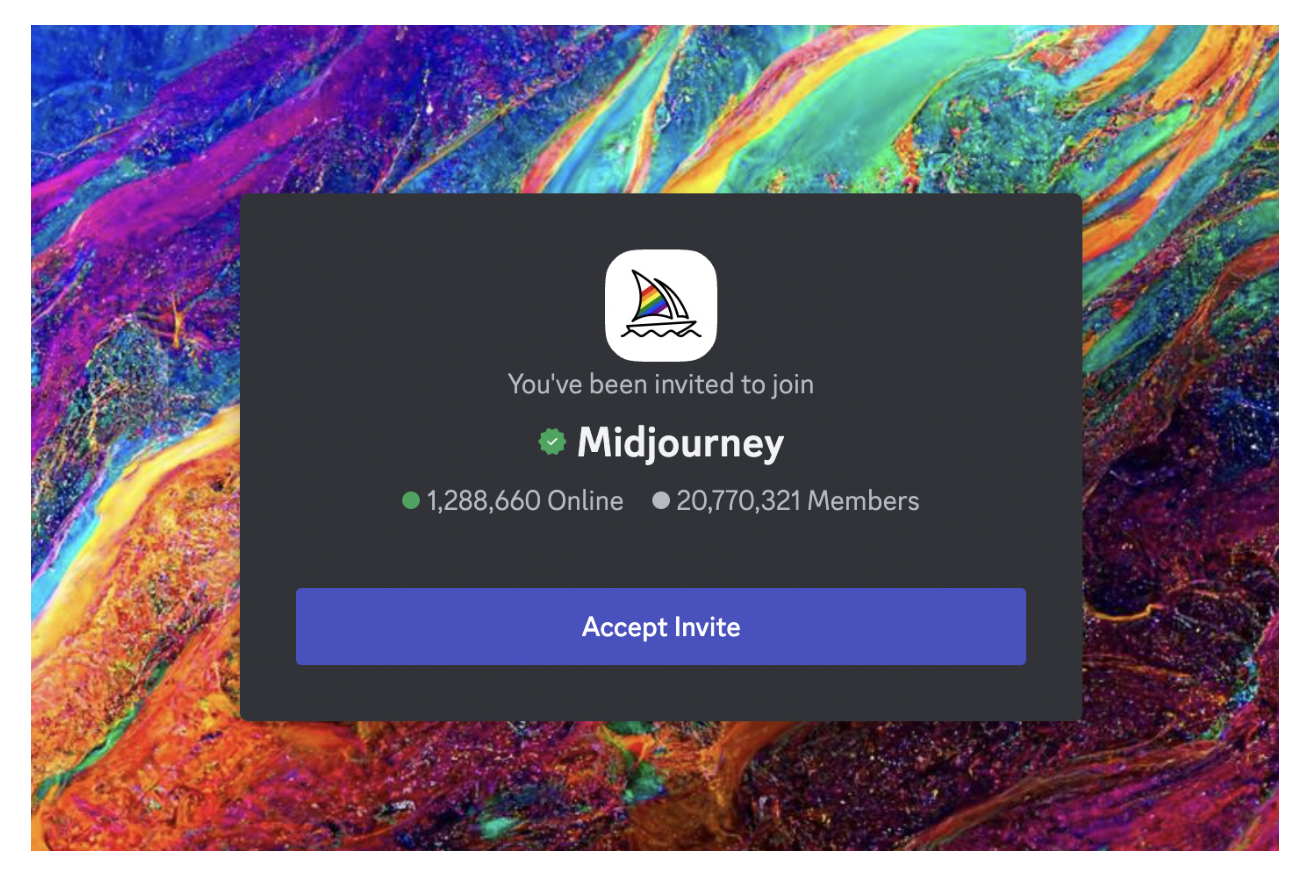
If you’re not already a member, first head over to the Discord platform and follow the instructions to create your account. Once you’re signed up, join the official Midjourney Discord server by clicking the ‘Accept invite’ button.
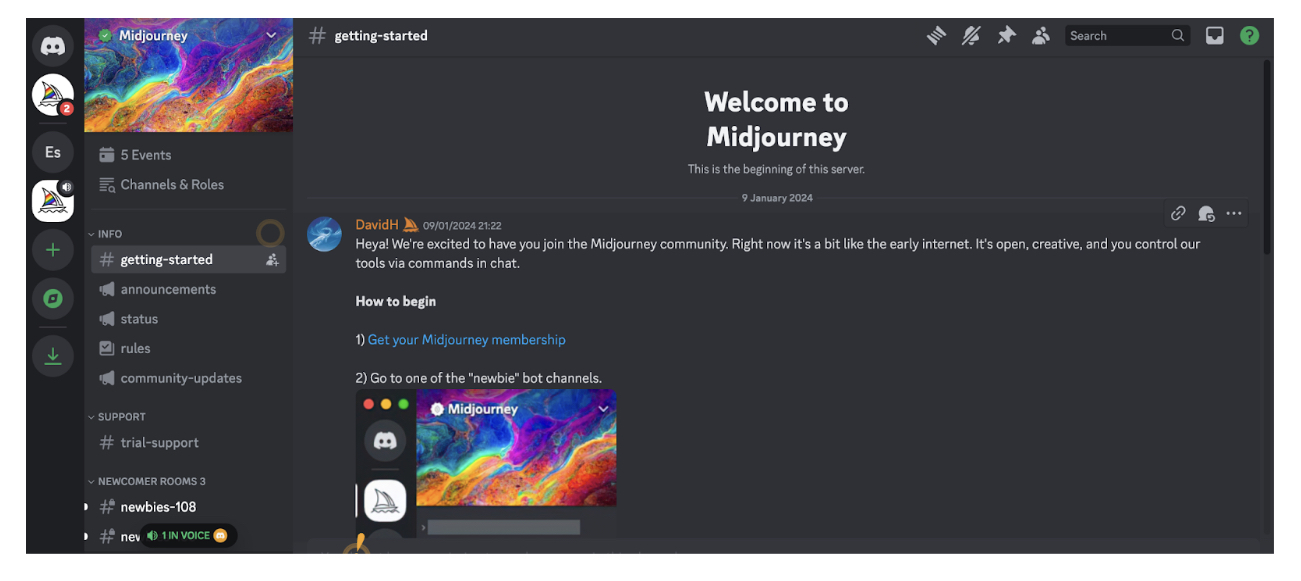
You’ll then find yourself in the “Getting started” channel, where you can create your Midjourney account (if you haven’t already done so) by clicking “Get your Midjourney membership” (visible in the chat):
This will take you to a separate page, the Midjourney showcase, where you can click “Sign up” in the bottom left corner to create your Midjourney account.

Once you’re signed up and logged in to Midjourney, you can navigate back to the Midjourney Discord server and enter one of the so-called “newbie” bot channels. You’ll find available newbie channels on the left-hand side.
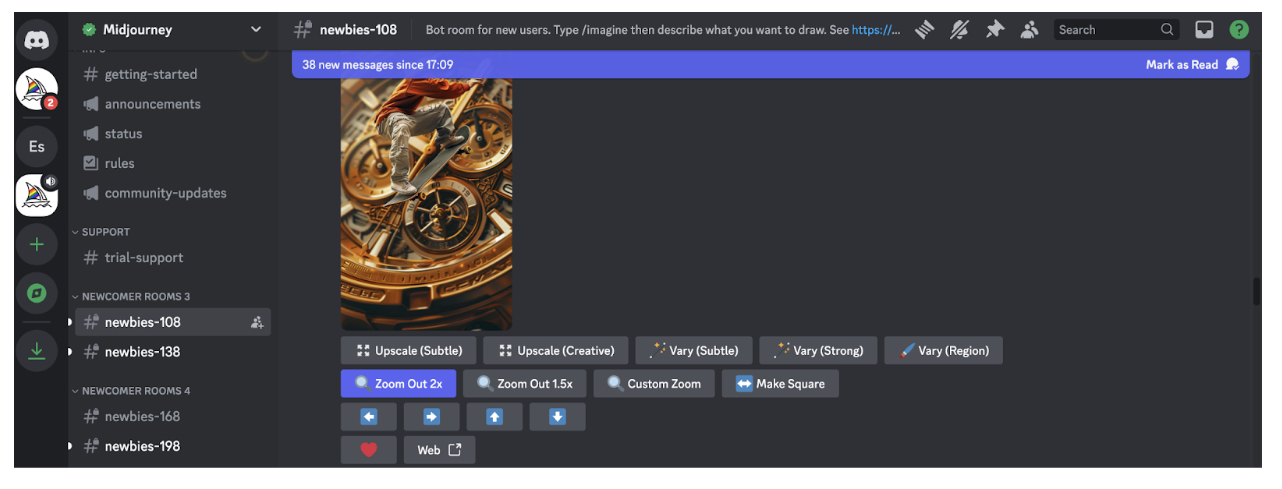
You can then enter your own prompts into the chat box to start generating images.
At the time of writing, Midjourney is no longer offering a free trial for new users. If you want to start prompting, you’ll need to sign up for a paid subscription.
How much does Midjourney AI cost?
Midjourney offers four price tiers:
- Basic Plan for $10 per month or $96 per year with an annual subscription (that’s around €9 per month / €89 per year)
- Standard Plan for $30 per month or $288 per year with an annual subscription (that’s around €28 per month / €267 per year)
- Pro Plan for $60 per month or $576 per year with an annual subscription (that’s around €55 per month / €533 per year)
- Mega Plan for $120 per month or $1,152 per year with an annual subscription (that’s around €111 per month / €1,066 per year).
For more information about each price tier and what’s included, visit the official Midjourney pricing page.
How to use Midjourney AI in UI design (with example prompts)
Midjourney can generate custom visuals in a matter of seconds—making it an incredibly interesting tool for UI designers. You can use Midjourney to quickly create screens and individual UI components, come up with themes, styles, and colour palettes, and generate unique digital artwork.
Note, however, that the graphics you create with Midjourney won’t necessarily be directly usable—and working with Midjourney doesn’t eliminate the need to create your own screens and elements using the usual UI tools like Sketch and Figma. If you generate an app screen with Midjourney, for example, you’ll still need to actually create that screen from scratch yourself.
Where Midjourney really comes in useful is helping you to explore different ideas and concepts and gather inspiration. You might use your AI-generated artwork to inspire mood boards, kick-start an ideation session, or serve as a guide for certain layouts or colour schemes.
With that, let’s consider some examples of how to use Midjourney for UI design.
Use Midjourney AI to generate app screens
If you’re designing for mobile, Midjourney can help you ideate layouts and designs for various app screens. If you’re designing a dating app, for example, you might try the following Midjourney prompts:
- /imagine a vibrant and fun login screen for a dating app, with an eye-catching background, username and password fields, and buttons for login and social media sign-ins
- /imagine a user profile screen for a dating app, featuring a large profile picture at the top, user bio, interests, and match percentage displayed in a clean layout
- /imagine a match screen for a dating app, showing potential matches with profile pictures, a brief bio, and buttons to like, dislike, or super like
- /imagine a chat screen for a dating app with a clean interface, message bubbles, timestamps, and an input field at the bottom
Create UI components such as icons, buttons, and logos
Perhaps you want inspiration for the finer details of your app or website. In that case, try using Midjourney AI to create individual UI components such as icons, buttons, and logos. Here are some prompt examples to guide you:
- /imagine a set of modern buttons for a mobile app, including primary, secondary, and disabled states, using a black and white colour scheme
- /imagine a collection of minimalist icons for a mobile app, including icons for home, search, messages, settings, and notifications
- /imagine a sleek and modern logo for a dating app, incorporating elements of connection and love, with a vibrant colour scheme
Generate theme and style concepts
In the early stages of the design process, you might focus on coming up with an overall visual style for your website or app—and Midjourney can help with this, too. Specify your vision or initial ideas and let Midjourney bring them to life.
Consider the following prompt examples:
- /imagine a light mode theme for a productivity app, featuring white backgrounds, soft grey UI elements, and navy blue highlights
- /imagine a dark mode theme for a music app, with black backgrounds, dark grey UI elements, and neon pink highlights
- /imagine a vibrant and colourful theme for a creative design app, with bold colours like orange, pink, and teal, playful typography, and dynamic UI elements
Create custom website imagery
Imagery plays an important role in UI design, helping to reinforce brand identity and enhance the visual appeal of your website or app.
Whether you want to create cartoon-style illustrations, abstract artwork, or realistic images of products, places, or people, Midjourney can generate custom imagery that reflects your brand and vision.
Here are some examples of how you might prompt Midjourney to generate images for different use cases:
- /imagine a stunning hero image for a tech startup website, featuring abstract technology elements and a modern cityscape in the background
- /imagine a set of custom illustrations for a health and wellness website, featuring people doing yoga, eating healthy, and meditating
- /imagine a unique background image for a creative agency website, with abstract shapes and vibrant colours
Generate colour palettes
Perhaps you want help coming up with the perfect colour palette, or you’ve already got a colour scheme in mind and want to see how it looks in practice. Again, Midjourney is an excellent source of inspiration here. Simply specify the kind of look and feel you’re aiming for and Midjourney can generate multiple colour palettes accordingly.
Consider the following prompt examples to guide you:
- /imagine a pastel colour palette for a wellness app, featuring soft shades of mint green, blush pink, lavender, and light grey
- /imagine a bold, split-complementary colour palette for a fitness app, comprising three colours
- /imagine a monochromatic colour palette for a finance app
How to write effective prompts for Midjourney AI
As with all generative AI tools, the quality of the output depends on the quality of the input. In other words, it’s up to you to tell the AI what you want—and to master the art of prompt-writing for the specific tool you’re using.
Here are some tips to help you write effective prompts for Midjourney AI:
- Start each prompt with the /imagine command, followed by a description of what you want the AI to create.
- Keep it simple and specific. To quote the official Midjourney guidelines for prompt-writing: “The Midjourney Bot works best with simple short phrases that describe what you want to see. Avoid long lists of requests and instructions.”
- Specify what you want the image to include, rather than what you don’t want it to include. Even if you specify “no flowers” in your prompt, the AI will likely only focus on the word “flowers” and therefore create an image that does indeed contain flowers. If you absolutely want to exclude something from the image, use the “no” parameter. For example: – – no flowers.
- If necessary, specify your desired aspect ratio using the following parameter: – – ar [value]. If you wanted to generate an app screen, you could specify – – ar 16:9.
- Use the stylize parameter to control the level of artistic flair that Midjourney injects into each image. If you imagine that the default level, 2500, gives you a medium level of stylization, you can dial it up or down by specifying values higher or lower than 2500. If you wanted to generate an image of a garden that’s more realistic than artistic, you might specify – – stylize 500. If you wanted to create an image of a garden that looks magical and fantastical, you might specify – – stylize 3500.
- Use the quality parameter to adjust the level of quality and detail in the image. – – q 1 is the default, so work from that value to dial the quality up or down.
Most importantly, be prepared to experiment. The more you use Midjourney, the more intuitive the art of prompt-writing will become. You’ll start to get a feel for what works and see how different words, phrases, and parameters influence the output.
Ethical considerations when using Midjourney AI
If you’re using Midjourney AI (or indeed any AI tools) throughout the design process, you must take care to use it responsibly. Here are some of the most important ethical considerations to bear in mind.
Intellectual property and copyright
When generating images with AI, be careful about replicating existing images or artworks created by other artists or designers. You might use a famous logo for inspiration, for example, but you wouldn’t want to emulate the style too closely to the point of copying.
Deceptive and misleading content
This is like the visual equivalent of fake news—creating image-based content that deliberately deceives, misleads, manipulates, or spreads misinformation. Don’t do it!
Stereotypes and bias
It’s well-documented that AI can and does perpetuate harmful stereotypes and biases. As a human user, you must be diligent about actively looking out for such biases and taking steps to mitigate them.
Strive to generate images that are inclusive and representative of diverse groups. If you generate an image that doesn’t feel inclusive or could potentially exclude or harm certain people, don’t use it. You can learn more about the importance of designing inclusive content in this guide.
As a general rule: always review AI-generated content with a critical eye, and use your better judgement. As a human user, it’s your responsibility to consider the impact of any content you create—and to ultimately decide what makes it into the public domain.
The takeaway
Midjourney AI can generate custom images in seconds, making it an excellent tool for gathering inspiration, sparking your own creativity, and ideating and exploring different design concepts, layouts, and styles.
Whether you use it to generate fully-fledged app screens, individual UI elements, impressive artworks, or colour palettes: Midjourney AI is a powerful addition to your UI design toolkit.
Ready to get started with Midjourney AI? Experiment with different prompts and use cases, explore other Midjourney users’ creations, and be mindful of the ethical considerations we’ve laid out in this guide. You’ll soon be generating images like a pro!